
 2
Large Yellow Bar Running Vertically
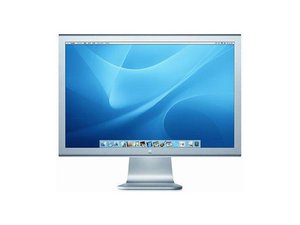
I purchased this display used, and I haven't had any problems with it until recently. A thick, faint yellow line has been showing up vertically through my screen. Restarting and unplugging hasn't worked. After it's been on a while, sometimes it will disappear, but lately—it's been staying all work day. Does anyone know what's causing this? Photos below!

Photo #1: Screen with yellow line issue.

Photo #2: Original cord has electrical tape on wire. (I bought it like this.)
THANKS!
Is this a good question?
Score
1
 349
 977

5 Comments
Howdy there, has the display been moved in a way that could have damaged it? Also is this the display the 27" model that only have the thunberbolt and magsafe connector shown here?
by Jacob Mehnert Share
@jmehnert - These are the older DVI connection and you need a DVI to mDP port or Thunderbolt port adapter.
by DanJ Share
@jmehnert Hey! Thanks for your reply! Yes, it's the 27" model. Your link took me to the main "repair" area—I didn't see a specific magsafe connector image to compare the two!
by Renee Share
@danj I'm not sure I follow. I have my Thunderbolt connected to my computer using this adapter: https://www.apple.com/shop/product/MYH93... It's been fine until now the yellow bar is showing up.
by Renee Share
@reneeswigert - This is the older DVI model, yours is a TB2 with a TB3 adapter for your systems USB-C connection. As it turns out the TB3 interface offers multiple services old USB, mDP and USB-C based as well TB!
by DanJ Share