Free Shipping on Domestic Orders $75+

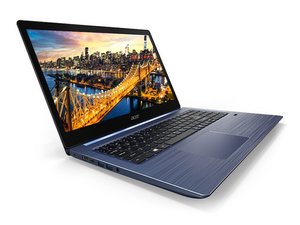
Slim, lightweight and stylish, the Swift 3 is the ideal laptop for working on the move. The latest NVIDIA® GPU, Intel® CPU and long battery life are housed inside a choice of displays: an elegantly silver chassis with a 13.5” 3:2 ratio 2256x1504 IPS VertiView Display or the vivid colors of a 14” 16:9 FHD IPS display.

My fan is being loud

sometimes when i tilt the computer or kind of bump into it the fan starts to make very loud noises

Answer this question I have this problem too

Is this a good question?

Score 0
Add a comment

1 Answer

It looks like your fan might be loose, misaligned, or have debris inside. Here are a few things you can check:

  1. Loose Fan or Screws – Open the laptop and check if the fan is securely mounted. Tighten any loose screws.
  2. Debris or Dust – Dust buildup can cause imbalance. Clean the fan using compressed air or a soft brush.
  3. Bearing Wear – If the fan's bearings are worn out, it may need replacement.
  4. Cable Obstruction – Check if any internal cables are brushing against the fan when you move the laptop.
  5. Physical Damage – If the fan blades are cracked or bent, replacing the fan is the best option.

If the problem persists, consider replacing the fan to prevent further damage to your system.

Was this answer helpful?

Score 0
Add a comment

Add your answer

Matěj will be eternally grateful.
View Statistics:

Past 24 Hours: 1

Past 7 Days: 3

Past 30 Days: 16

All Time: 193