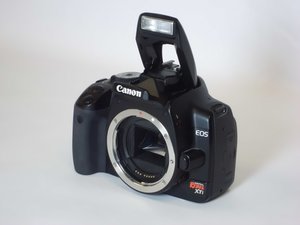

How do I fix an error 99?
I got an error 99 a couple of months ago and have done everything I can but the error doesn't go away
Is this a good question?
Score
0
I got an error 99 a couple of months ago and have done everything I can but the error doesn't go away
Is this a good question?
This typically means the camera software does not recognize the lens.
To fix this: 1. Make sure the lens is compatible with the camera. 2. Using the eraser of a pencil, gently rub the contact surfaces clean on both the camera and lens. 3. Remove and reinsert the battery, attach the lens and turn the camera on. This should fix the problem.
Also, Canon has a troubleshooting section for all of their product on the web site.
Was this answer helpful?
Rep: 13
 1
1
Former Canon DSLR repair tech here. I know I'm late to the party, but here's my take:
Error 99 is a general, catch-all error that usually signals some sort of hardware issue - it is like the "Idiot (Check Engine) Light" in a car.
From what I can remember, it's usually a couple of things: CMOS bad, shutter failure, or the lens isn't functioning properly (in that case, usually the focal aperture blades are stuck).
I'd troubleshoot it as follows:
1) With no lens attached, turn the front of the camera to you (so you can watch the shutter) and try to take a picture at the fastest exposure speed. If this throws an E99, the shutter or CMOS is likely going bad / failing. This will be difficult to fix because Canon no longer services those models (XT & XTi).
2) If it passes Step 1, attach a lens and try to take a picture. See if you get the error. If so, the lens needs to be repaired.
3) Repeat Step 2 with every lens you own, until you get the E99.
Hopefully, one of those steps will help you figure it out.
Was this answer helpful?
Past 24 Hours: 0
Past 7 Days: 5
Past 30 Days: 21
All Time: 286


