
Free Shipping on Domestic Orders $75+

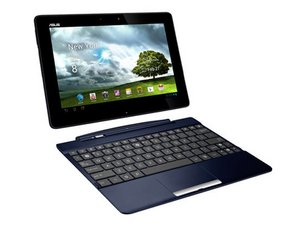
The Asus Transformer Pad TF300T is an Android tablet computer released in April 2012. The Asus Transformer design includes an optional docking keyboard that “transforms” the tablet into more of a laptop computer.

Main charging ports have failed

After some time mine has stopped recharging and has gone flat.

The charger and cable seems fine when checking with a multimeter

When connected with the dock/keyboard it does not charge

When not connected with the dock/keyboard it does not charge

At no time do I recall any sign or smell of burning

How can I charge my TF-300 for further investigation into fixing?

Is there any way to charge my TF-300 through the USB-1 port? Like I have seen other devices charging through a USB-3 port?

Answer this question I have this problem too

Is this a good question?

Score 1
Add a comment

1 Answer

Most Helpful Answer

@fuzzoffury according to the manual you can. "Charging through the USB port may take a longer time to complete. If your computer does not provide enough power for charging the ASUS Transformer Pad, use the wall outlet instead" Time to repair your charging ports :-)

Was this answer helpful?

Score 1

2 Comments:

There seems to be a misunderstanding

Can I charge into the usb-1 port on the opposite side from the port usually used for charging on the dock/keyboard?

No matter where the power is charging from?

by

@fuzzoffury Your computer commonly only supplies around 500mA on the USB port which may not be enough to charge the tablet.

by

Add a comment

Add your answer

Mark Rienits will be eternally grateful.
View Statistics:

Past 24 Hours: 0

Past 7 Days: 1

Past 30 Days: 8

All Time: 188
