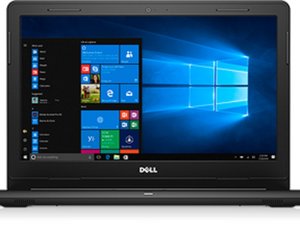

Blinking Power LED 1 Long White 4 Short Ember
I have a Dell Inspiron 14 3000 (Service Tag 91T5S53)
I have been getting a constant Blinking Power LED (1 long white and 4 short ember) I cant seem to find the error code online.
The computer works fine with the power plugged in no issues, but when unplugged turns off immediately, which I thought indicated a battery replacement. I replaced the battery and nothing changed, I still get the same flashing power LED.
The replacement battery is recognized in Windows with a 55% charged capacity but doesn't charge any further nor does it discharge.
I tried uninstalling the Microsoft ACPI-Compliant Control device driver in Device Manager and restarted the computer, but that failed to fix the issue as well.
I have ran the offline Dell Diagnostic several times but comes back with no errors.
I also ran the Dell Support Assist in Windows, and comes back with no errors as well.
There are no BIOS updates as I have applied all available critical and recommended updates.
Can anyone explain what the issue could possibly be and how to fix it?
Is this a good question?

 11
11  421
421  1.6k
1.6k 
2 Comments
Hello, how was the problem solved? I have the same problem.
by Dalibor Moc
Hello, I had the exact same issue on my Dell G3 3500 gaming laptop. I changed the battery but still had the same issue. It would temporarily resolve when I unplugged and plugged the battery into the motherboard.
The issue resolved when I updated the firmware. Specifically, Toshiba-Solid-State-Drive-Firmware-Update-for-KBG40ZNSxxxx_TKNM3_WIN64_1041.0106_A00_03.
Don't know why a ssd update would affect power management but there you go.
by seebeenee