
Free Shipping on Domestic Orders $75+

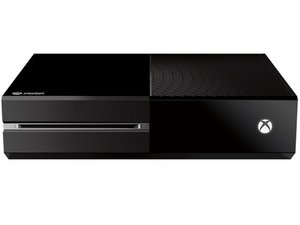
Microsoft's third-generation Xbox game console, released November 22, 2013.

How to transfer data from old Xbox one hdd

Hi guys,

I have removed the Xbox one internal HDD, from my old Xbox connected it to an enclosure case and can view all files on my pc. But when I plug it into the new Xbox one it doesn’t show up? I’m thinking because it still has an operating system on and isn’t formatted as external.

My brothers gamer tag is saved on this hdd and he can’t remember the email address he used for this account. And also he wanted to try access he saved games.

I was wondering how I could transfer data from this old Xbox one hdd onto my new Xbox without having to take apart new Xbox to swap hdd’s.

Any help would be appreciated.

Answer this question I have this problem too

Is this a good question?

Score 0
Add a comment

2 Answers

you can go into disk part under command prompt and see if it gets listed as a disk. your best option if the hard drive is in good condition is to use a cloning software to another hard drive. Acronis is the software i use for cloning. The xbox hard drive its self usually pops up in my pc when i plug it in. Its formatted for ntfs And has alot of different partitions on it. You can also boot into xbox recovery with the new hard drive installed and try to install an offline xbox update from a flash drive. There is alot of youtube videos on it. Replacing a hard drive from the original xbox to the one s is the same operating system. so it should work out.

Was this answer helpful?

Score 0

2 Comments:

Hdd is in perfect condition- I have plugged it in to my pc , and all the partitions come up I have copied all user content to a external hdd formatted to Xbox one. Do you think Xbox will ready the content?

by

the better thing to do would be to clone the drive. im assuming its most likely gunna have some weird code to tie the games to the user account on the hard drive. Kind of how programs on windows get stuck to the registry. So cloning the hard drive in my opinion might be the best option

by

Add a comment

Proofindapudding: it didnt acknowledge I had an Xbox One hdd enclosed on plug-n-play (with the console on, or off 1st). So no, you can't yank an internal (which is encr coded to (according) your Xbox its motherboard, its encr key.

I used a WAVLINK USB 3.0 dual enclosure / cloner. It is recognized only as a hdd enclosure, & cloning is strictly within the hardware feature - the one-click button on the device. Same as a hdd daisy chain.

The only other test, which I find useless to attempt, is to get another brand that is barebones case. $10 on eBay.

Was this answer helpful?

Score 0
Add a comment

Add your answer

lewis.saunders96 will be eternally grateful.
View Statistics:

Past 24 Hours: 0

Past 7 Days: 3

Past 30 Days: 51

All Time: 2,327