Free Shipping on Domestic Orders $75+

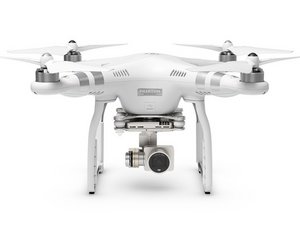
The DJI Phantom 3 Advanced is a remote controlled flight system released in April of 2015. Model Number:WS22

My dji phantom fall

hi, when my phantom 3 standard fall , camera wont to be stable and its keep shaking ?

I checked the flat vision and gimbals cable there is nothing wrong with it ?

what can I do to get it fix

thank you

Answer this question I have this problem too

Is this a good question?

Score 2
1 Comment

Hello. If your drone has crashed and the camera is failing to synchronize or hold a steady position, the issue often stems from the log files on the SD card. Since the drone writes data to the card during and after the crash, these files should be deleted before you restart the drone; this allows the GPS/geodata log files to be recorded fresh and error-free. Try restarting the drone after deleting the log files from the SD card—that is how I got mine working again without errors following a crash.

by

Add a comment

2 Answers

Most Helpful Answer

i had this same thing happen to my phantom 4 i had to replace the entire camera assembly.

they told me it had to do with the motor not being about to stabilize anymore.

Was this answer helpful?

Score 1

3 Comments:

what did you do to resolve this? i have the same problem.

my phantom 3 advanced crashed and after that the camera or gimball keeps on tumbling . and what could be the cost to let it repair?

by

@sjoemie if you goto the DJI site they sell replacement gimbals for most models

by

Hello. If your drone has crashed and the camera is failing to synchronize or hold a steady position, the issue often stems from the log files on the SD card. Since the drone writes data to the card during and after the crash, these files should be deleted before you restart the drone; this allows the GPS/geodata log files to be recorded fresh and error-free. Try restarting the drone after deleting the log files from the SD card—that is how I got mine working again without errors following a crash.

by

Add a comment

Hello,

If your drone has crashed and the camera is failing to synchronize or hold a steady position, the issue often stems from the log files on the SD card. Since the drone writes data to the card during and after the crash, these files should be deleted before you restart the drone; this allows the GPS/geodata log files to be recorded fresh and error-free. Try restarting the drone after deleting the log files from the SD card—that is how I got mine working again without errors following a crash.

Was this answer helpful?

Score 0
Add a comment

Add your answer

Iraqi for ever will be eternally grateful.
View Statistics:

Past 24 Hours: 0

Past 7 Days: 6

Past 30 Days: 35

All Time: 478
