
Repair Guides
Learn how to fix just about anything with our step-by-step guides.
App
Your pocket repair helper.
FixBot
The friendly AI repair assistant.
Repairability
Learn why fixable products make sense.
Teardowns
Get a sneak peek inside the latest gadgets.
Answers Forum
Share solutions and get help from a friend.
Find Your Community
Find teams, events, and fellow fixers.
Help Out
Help make repair knowledge free and accessible for everyone.
Right to Repair
Learn about the Right to Repair movement and how to be an advocate.
Featured
Quality parts and tools backed by our lifetime guarantee.
Tools
Shop our wide selection of precision tools.
Parts
Shop parts backed by our quality guarantee.
iPhone Batteries
Batteries tested and guaranteed plus a kit with everything you need.
Free Shipping on Domestic Orders $75+
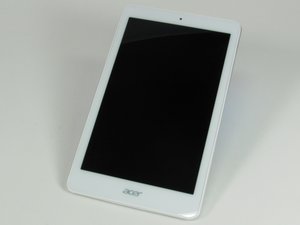
An 8 inch tablet with a full HD display, an Android operating system, and an Intel Atom processor. This guide is written for Model A 5001.
Leslie herevia @leslieh1234
Rep: 1
Posted: Oct 23, 2016
=It doesn't charge ==
Is this a good question?
1 Comment:
Have you tried charging with a different charger? Or plugging into a different socket?
Oct 23, 2016 by Wallman
John @buznme
Rep: 113
6
1
Posted: Oct 24, 2016
tablets are know for the charger plug gets lose so check to see if yours has broken on the inside
they come unsoldered
plug in your charger see if it wiggles more than it should if so it has come unsoldered go to u-tube and see videos on how to fix it
Was this answer helpful?
Past 24 Hours: 0
Past 7 Days: 3
Past 30 Days: 22
All Time: 1,472
Have you tried charging with a different charger? Or plugging into a different socket?
by Wallman