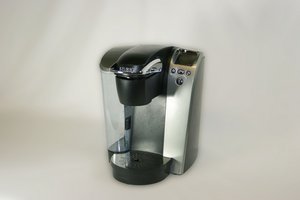
Student-Contributed Wiki
An awesome team of students from our education program made this wiki.
Brewer will not turn on
No matter what you try, the Keurig B70 Platinum won't power on.
Bad power connection
Check to make sure the Keurig B70 Platinum is connected to a power source and flip the power switch located on the back of the machine. If that doesn't work, make sure the power outlet and circuit breaker of your building is functioning. Additionally, try resetting the circuit breaker.
Internal computer is malfunctioning
The internal computer may be malfunctioning and will need to reboot. To reboot the internal computer, turn off and unplug the machine. Let the machine sit for a few minutes and plug it back in.
Error with the display
The screen may tell you what action(s) needs to be taken to fix your Keurig B70 Platinum.
Blue light is flashing
If the blue light located in the water reservoir is flashing, this indicates that the reservoir needs to be filled with water. Take out the cap of the reservoir and fill it with water.
Descale message appears
Flush the unit reservoir. Keurig recommends descaling your machine every three to six months.
Click here for the detailed instructions.
Metallic tasting beverage
Brewed beverages have a metallic taste.
Improper water source
Recommended water sources are filtered water to eliminate the "chemical" taste encountered from a municipal water supply.
Reservoir is dirty
If water sits in the reservoir for an extended period of time, it may cause calcium deposit or scale to build up. Scale is non-toxic but can hinder the brewer's performance and cause a metallic taste. To clean the water reservoir, take out the water reservoir and hand wash with soap and water thoroughly before placing the reservoir back in place.
Click here for the detailed instructions.
Watered down beverage
With use, the beverage may taste watered down or the end product is not brewed.
K-Cup is not inserted
Check to make sure an individual Keurig Single Cup (K-Cup) flavor is being used when brewing. If not, insert a new K-Cup. Keep in mind that the K-Cups are single use only. Using the same one from a previous brew will make it taste watered down.
Waterline is clogged
Insert a straightened paper clip into the needle exit area. Repeat this action to loosen any debris. The exit is on the side of the needle, not the top.
Follow the Repairing Keurig B70 Platinum Needle Guide.
Brewer will shut off randomly
When continuously making coffee, the second cup is not fully made or does not get made at all.
Magnet is out of place
The magnet is in the water reservoir and acts as a water level sensor. Realign the magnet holding the water reservoir in place.
Follow the Repairing Keurig B70 Platinum Reservoir Magnet Guide.
Brewer takes a long time to warm up
The brewer takes a long time to take up water and warm up.
Air is blocking water from going into the brewer
Occasionally, air can block water from going inside the brewer. Use a bendable straw and put it over the sharp needle that pokes the top of the K-Cup where the water comes in. Blow on it and then the water should be bubbling and the air flow is cleared.
Cup is not being filled
No water is being drawn to the user's cup, or, the cup is only being partially filled. If you don't see "Ready to Brew" displayed on the screen, you won't get any coffee.
Handle is not fully closed
The handle needs to be completely pushed down for the system to engage. If your B70 isn't brewing, make sure the handle is all the way down.
Vacuum is malfunctioning
Water is being fed into the air pump located at the bottom of the unit causing it to rust and seize.
Follow the Repairing Keurig B70 Platinum Vacuum Guide.
Read More: Air Pump Malfunction
Clogged puncture needle
Insert a straightened paper clip into the needle exit area. Repeat this action to loosen any debris. The exit is on the side of the needle, not the top.
Follow the Repairing Keurig B70 Platinum Needle Guide.
Brewer does not puncture K-Cup
When closing the lid, the brewer does not puncture the K-Cup.
Lid is not completely closed
If the lid is closed completely, then the screen will display “READY TO BREW” and the buttons will be lit and flashing. If the brewer does not display anything and buttons are not lit and flashing, open the lid and firmly close it again.
Bent puncture needle
The puncture needle that punctures the K-Cup might be bent. You can check if the puncture needle is bent by opening the lid and looking inside to see if there is a bent puncture needle. If there is a bent puncture needle, then you are going to need to replace it. Here is a guide to show you how to replace the puncture needle.
Note: Avoid touching the sharp objects where the K-Cup is held and where the puncture needle is located.
Brewer is not pumping water
Little to no water is being pumped into the brewer when brewing.
Clogged waterlines and filter
When in constant use, the waterlines and filter can become clogged with minerals and other particles which can prevent the pump from working properly.
Here are steps to clean the waterlines and filter:
- Step 1: Clean the reservoir with a damp, soapy, non-abrasive cloth and rinse thoroughly.
- Step 2: Fill the water reservoir with undiluted white vinegar and water.
- Step 3: Run the brew cycle twice or until empty to clean the brewer.
- Step 4: Let the brewer rest for at least 30 minutes.
- Step 5: Fill the reservoir with distilled water and run another brew cycle. Repeat until the reservoir is drained.
Click here for the detailed instructions.
The water pump is damaged
The water pump can be damaged for a multiple of reasons. To check if the water pump has any significant damages and in need of a replacement, view this guide on how to replace the water pump.
Tip: Indicators of damage can be tears, dents, and other signs of obstruction.
Time is not displayed
Time is not displayed on the LCD screen.
The clock is not set up
Refer to Keurig B70 Platinum Owner's Manual to set the clock.
Power is interrupted
If power is interrupted, you will need to set the clock.

Team

Cal Poly, Team 20-2, Maness Winter 2013 Member of Cal Poly, Team 20-2, Maness Winter 2013
CPSU-MANESS-W13S20G2
4 Members
72 Guides authored

31 Comments
The needle on my unit was clogged. Thanks iFixit!
JRoperto - Reply Share
I've done all the troubleshooting on my unit and it still won't reset to "ready" status. I touched the machine and zapped it with carpet static. Was able to set all the functions, although it doesn't turn on and off by the timer. It sounds like it is heating up, but still won't brew. Is there any hope?
Kathandra - Reply Share
it trickles out a little water and just says it's brewing. OI reset it, and got no further.
steve - Reply Share
I had this exact issue with mine. I made sure everything was clean needles, hoses check valve at the connection going down to the cup needles. I even tried taking the pump cover off and doing the vegetable oil trick no luck. What I realized was the pump wasn’t working so I took the pump back apart and pushed in on one of the 3 little pistons and sure enough it was seized up so I continued to push on whichever piston was up and it started to move down I continued to go around in a circle pushing in on piston that was up and it freed up I put the pump back together put the plate back on the bottom and although the pump seems to make a little noise it brews great again.
ronald w priddy - Reply Share
Water don't stop run
Jorge Lacayo - Reply Share