Page Stub
This wiki page is a stub. Help us improve this page by adding information to it!
Student-Contributed Wiki
An awesome team of students from our education program made this wiki.
Computer won't turn on
"When pressing the power button the computer won't turn on."
Poor Battery Life
Remove the battery, and clean out all the compartments on the battery and on the computer base.
Does not charge properly
Check the charging port to see if the plug holds onto the charger. If not, buy a new charger.
Screen Glitches
"When trying to access apps on the computer, the screen freezes. "
Flickering or freezing
Open task manager by pressing Ctrl + shift + Esc and check to see if it's an app problem or computer problem. If it's an app problem, update the app. If its a computer problem, contact the company.
Over Heats
"When plugged in, it heated up really fast."
No fans
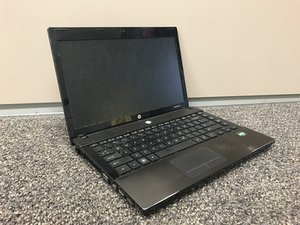
Because the HP ProBook 4425s does not have fans at the bottom for heat to exit out of, cleaning out the dust on the interior of the computer can help prevent it from overheating.

Team

University of North Texas, Team S8-G6, Riccardelli Fall 2018 Member of University of North Texas, Team S8-G6, Riccardelli Fall 2018
UNT-RICCARDELLI-F18S8G6
3 Members
36 Guides authored

0 Comments