Student-Contributed Wiki
An awesome team of students from our education program made this wiki.
Common Google Home Problems
Diagnose and fix the most common problems plaguing your Google Home with these step-by-step DIY troubleshooting guides.
| 5 Solutions | Google Home Is Not Responding |
 | Your Google Home appears to be on, but will not respond to input. Potential causes include audio interference, a muted microphone, Google Home being slow or buggy, incorrect recording, and an operating system bogged down by existing data. |
| 2 Solutions | Using Google Home Activates Multiple Devices |
 | Using your Google Home is activating multiple devices. Potential causes include incorrect home location and multiple devices set up incorrectly. |
| 2 Solutions | Google Home Gives Incorrect Answers |
 | Your Google Home is giving incorrect answers to questions involving location. Potential causes include incorrect home location and Google Home being slow or buggy. |
| 4 Solutions | Unfamiliar Google Home Lights |
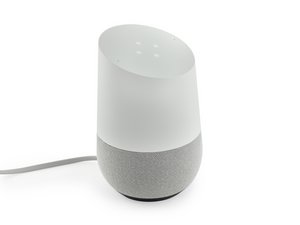 | Your Google Home has an unfamiliar pattern of lights on its top, and you don't understand what they mean. Potential causes include continuously spinning clockwise (multi-colored), spinning clockwise (white), six static lights (orange), and other unidentified light patterns. |
| 2 Solutions | Google Home Bad Audio Quality |
 | The audio coming out of your Google Home is muffled or indistinguishable. Potential causes include a problem with the sound driver. |
| 1 Solution | Google Home Does Not Turn On |
 | Your Google Home does not turn on at all. Potential causes include faulty connections. |
| 3 Solutions | Google Home Is Not Connecting to Wi-Fi |
 | Your Google Home is on, but is not able to connect to your home Wi-Fi network. Potential causes include Google Home being too close to the Wi-Fi source, an issue with the Wi-Fi source, and Google Home being slow or buggy. |
| 1 Solution | Google Home Mute Button Does Not Work |
 | Pressing the mute button on your Google Home does not mute the device. Potential causes include a faulty mute button. |
Didn't find your problem?
Check out the Answers forum for more troubleshooting help for your specific issue. Maybe someone has already solved the same issue you are experiencing.

Team

Cal Poly, Team S24-G11, Maness Spring 2018 Member of Cal Poly, Team S24-G11, Maness Spring 2018
CPSU-MANESS-S18S24G11
4 Members
60 Guides authored

44 Comments
My Google home does not play music from various sites like gaana and Saavn.
akonsuchdev - Reply Share
It only plays certain music services which can be listed in the Google home app
KingD Gaming - Reply Share
Can’t “clear all.” Instead My Activity shows up where I cannot delete all at one time. Its forcing me to delete one link at a time!!!!!!!!! Instead of clear all.
Nick Markota - Reply Share
When will answer appear?
Nick Markota - Reply Share
Not receiving my emails.
Shawn McDonald - Reply Share