Free Shipping on Domestic Orders $75+

Introduction

Go to step 1 ↓

Hey guys welcome to our teardown of the Xbox 360 Wireless controller. So we are going find out how the buttons, triggers, and joystick works. Also we are going to show you guys about how electricity works on the Xbox 360 Controller. Finally we are going to assembly it back and hope that it works!

What you need

This teardown is not a repair guide. To repair your Xbox 360 Wireless Controller, use our service manual.

    1. Xbox 360 Wireless Controller, Introduction: step 1, image 1 of 3 Xbox 360 Wireless Controller, Introduction: step 1, image 2 of 3 Xbox 360 Wireless Controller, Introduction: step 1, image 3 of 3
      • This is the Xbox 360 wireless controller we are going to work with

      Ask FixBot

      Add Comment

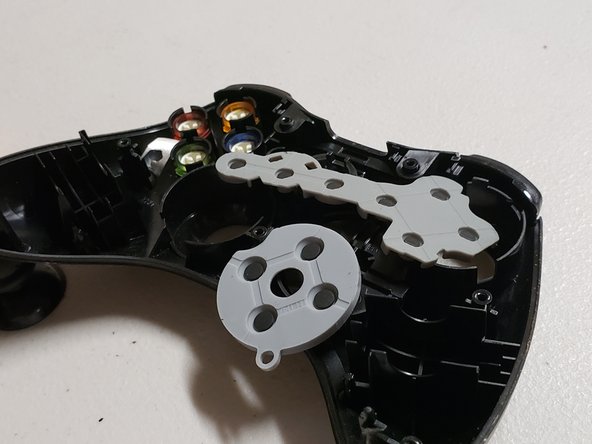
    2. Xbox 360 Wireless Controller, Took out all the screws and torn apart: step 2, image 1 of 3 Xbox 360 Wireless Controller, Took out all the screws and torn apart: step 2, image 2 of 3 Xbox 360 Wireless Controller, Took out all the screws and torn apart: step 2, image 3 of 3
      • I unscrewed the screws with a special screwdriver called Torx 8 T8 screwdriver.

      Ask FixBot

      Add Comment

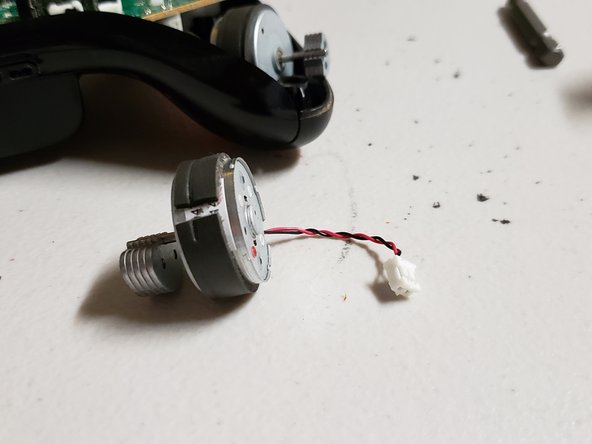
    3. Xbox 360 Wireless Controller, I found a thing that’s looks like a motor: step 3, image 1 of 3 Xbox 360 Wireless Controller, I found a thing that’s looks like a motor: step 3, image 2 of 3 Xbox 360 Wireless Controller, I found a thing that’s looks like a motor: step 3, image 3 of 3
      • I was looking at the different parts and I found two vibration rumble motors that make the controller vibrate. For example if you play call of duty and you shoot a gun the controller will vibrate.

      Ask FixBot

      Add Comment

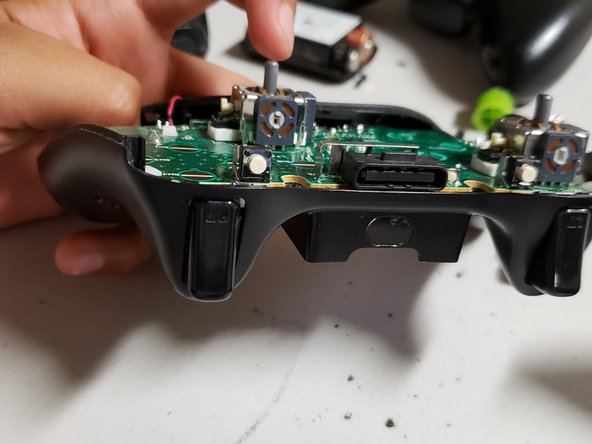
    4. Xbox 360 Wireless Controller, I look at the backside of the controller: step 4, image 1 of 3 Xbox 360 Wireless Controller, I look at the backside of the controller: step 4, image 2 of 3 Xbox 360 Wireless Controller, I look at the backside of the controller: step 4, image 3 of 3
      • I figured out how to open the other side found three things. I didn't know what they were and I found out they were the triggers for the controller. I also found out how the batteries connect to the controller. Finally, I found out that they where motors connect and I found out. I I also notice the processor chip was the same as a calculator.

      Ask FixBot

      Add Comment

Jose fierros

Member since: 04/26/19

119 Reputation

1 Guide authored

0 Guide Comments

Add Comment

View Statistics:

Past 24 Hours: 9

Past 7 Days: 45

Past 30 Days: 197

All Time: 4,356