Introduction
This is not a complete how-to guide, but rather some images to help you with disassembly/repair.
-
-
-
-
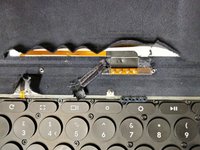
FFC (flexible flat cable) above keyboard
-
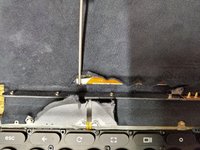
FFC under metal bar
-
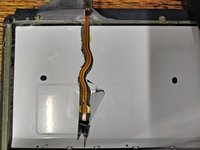
FFC under keyboard
-
-
-
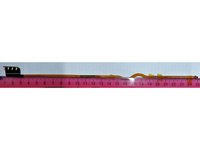
FFC dimensions
-
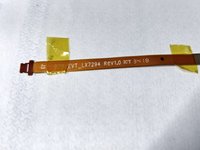
FFC identification
-
P.S. Sorry about the blank space in the images, I needed to pad the canvas to get these to upload here.
-

 Ask FixBot





5 Guide Comments
I think mine might be loose because I do get random connections but the backlit keyboard is gone. Would a USB type-c adapter be something that's possible at this point? Maybe Gemini can figure it out lol
Sorry Jona, I've not looked into what would be needed to add a USB-C port. Perhaps you could do some research and report on anything you find?
If you're getting random connections it's likely that the cable is at least partially snapped such that not all of the copper traces are connected at all times. This happened to me shortly before it broke fully.
It has been found that the keyboard uses a standard USB connection wired up to the pogo pins. It's almost like if the cable was not routed under the metal bar, it probably would have been better off. You could locate the broken traces and scrape away the orange plastic gently and solder in a patch. You could also make a patch cable with regular thin cable too, but it's a very small microscope and exacto blade soldering job.
