Introduction
My Kobo Forma e-reader stopped charging. So I stripped it down.
I thought it would be a faulty battery but the battery seems to be OK. But the motherboard doesn't think it is charging (when it is) and shuts down if I boot it up.
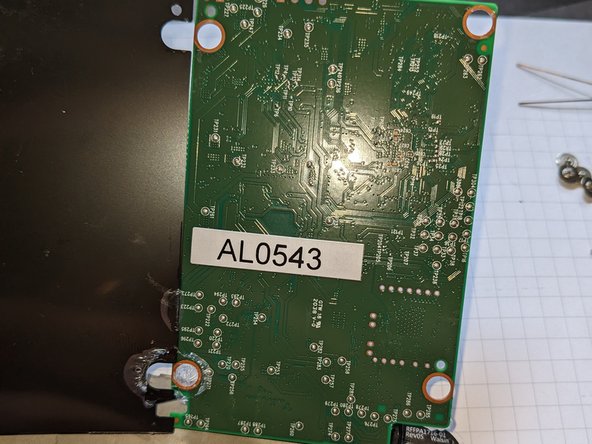
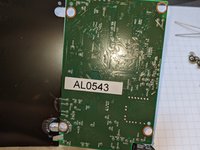
There is very little to fix inside but the motherboard does have what looks like a serial debugging port. Pins labelled TX/RX/V and ground.
What you need
-
-
Remove the finger plate. Start in one corner and push in a spudger/flat blade and lever it up. It is glued all the way along and has clips at the bottom edge so you'll want to bend out the bottom edge to clear the clips.
 Ask FixBot
-
-
-
-
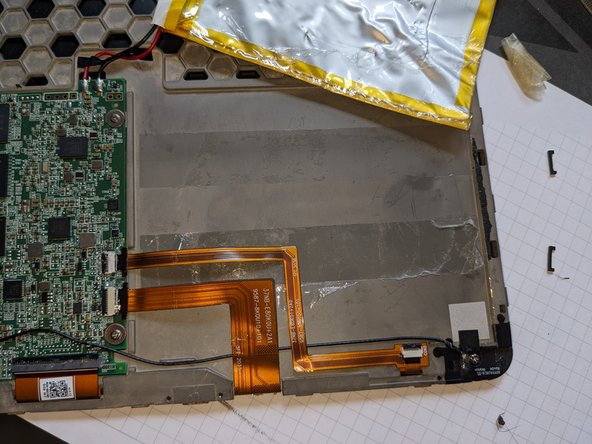
With the fingerplate removed, you can get a spugder in the bottom and lever off the backplate. Again it is stuck down with tape all the way round and has clips that break away easily. I don't suggest you do like I did and push a metal screwdriver all the way in, you could short out the battery. It is coated with some glue/lacquer, so maybe not!
-
-
-
The board is held down by some small (#0?) screws and the battery is stuck down with double sided tape. You will likely pierce the foil wrap when you try to remove it.
-



4 Guide Comments
I think it should be noted that it is not necessary to remove the fingerplate to access the battery. It is possible to replace it by just removing the back cover.
Hi @antonioher64178 - are you saying it is possible to remove the back cover without removing the fingerplate, and not cause any damage?
I found this video guide to remove the back cover , and replac e the battery - and by it (not my personal experience), it seems that indeed removing the fingerplate isn't necessary for back cover removal.
