Free Shipping on Domestic Orders $75+

What you need

This teardown is not a repair guide. To repair your Fujifilm Camera, use our service manual.

  1. Fujifilm Camera Teardown, Fujifilm Camera Teardown: step 1, image 1 of 3 Fujifilm Camera Teardown, Fujifilm Camera Teardown: step 1, image 2 of 3 Fujifilm Camera Teardown, Fujifilm Camera Teardown: step 1, image 3 of 3
    Tool used on this step:
    Tweezers
    $4.99
    Buy
    • tools needed

    • Phillips 00 screwdriver

    • "Y" screwdriver

    • tweezers

    • small needle nose pliers

    • small plastic pry tool

    • plastic spudger

    • the iFixit Pro Tech tool kit contains all necessary tools for this job

  2. Fujifilm Camera Teardown, open it up: step 2, image 1 of 1
    • remove the 2 Phillips 00 screws from the bottom

    • remove the 1 Phillips 00 screws from the side

    • remove the 2 "Y" screws from the other side

  3. Fujifilm Camera Teardown, remove back: step 3, image 1 of 1
    • use your plastic pry tool to remove the back of the camera

    • make sure the battery door is open as it will hold the back in place

    • remove back carefully camera has a ribbon cable running to the digitizer screen

    • disconnect digitizer cable

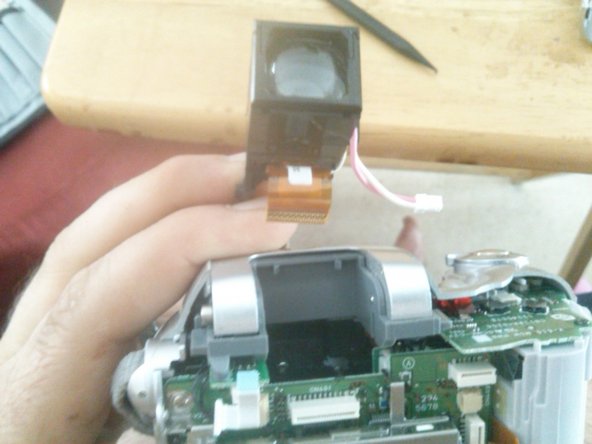
  4. Fujifilm Camera Teardown, remove view finder: step 4, image 1 of 3 Fujifilm Camera Teardown, remove view finder: step 4, image 2 of 3 Fujifilm Camera Teardown, remove view finder: step 4, image 3 of 3
    • you should have already disconnected the copper ribbon cable and the molex connector with the pink and white wires.

    • wiggle the view finder gently until it comes lose

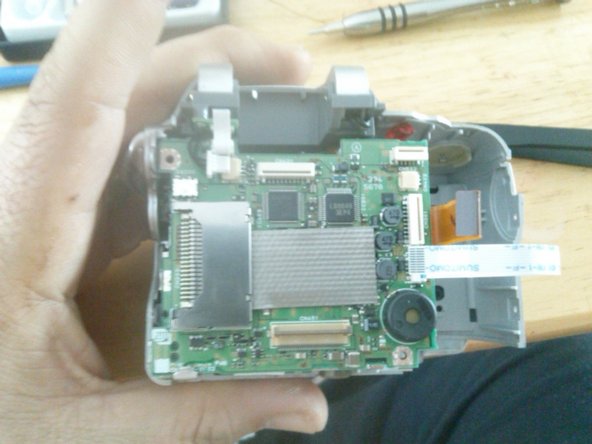
  5. Fujifilm Camera Teardown, remove battery compartment: step 5, image 1 of 1
    • there is a small white ribbon cable attached to the battery compartment and the cameras logic board verify that it's disconnected

    • there is a molex connector with a black wire and a red wire coming from the battery compartment going to the cameras logic board. disconnect this wire from the logic board.

    • using your plastic pry tool carefully free battery compartment from the camera housing

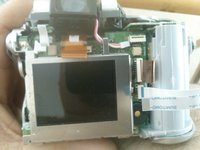
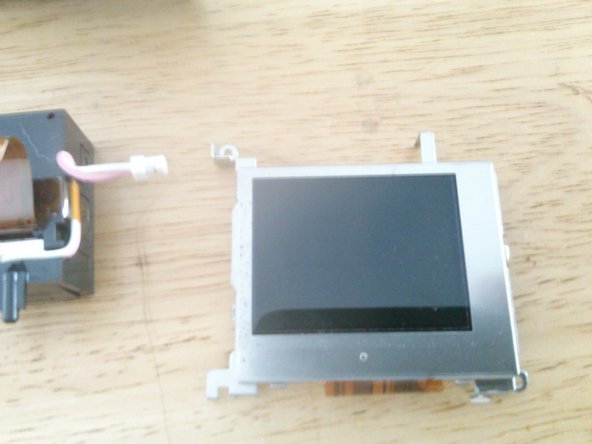
  6. Fujifilm Camera Teardown, LCD removal: step 6, image 1 of 3 Fujifilm Camera Teardown, LCD removal: step 6, image 2 of 3 Fujifilm Camera Teardown, LCD removal: step 6, image 3 of 3
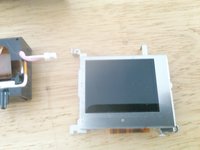
    • remove the 2 Phillips screws securing the LCD one is in the upper left corner and the other is on the lower right corner

    • gently lift the top of the LCD panel towards you

    • use caution not to damage the copper ribbon cable behind the display

    • use a plastic pry tool to release the latch that secure the cable to the logic board

    • gently pull the ribbon cable from the logic board

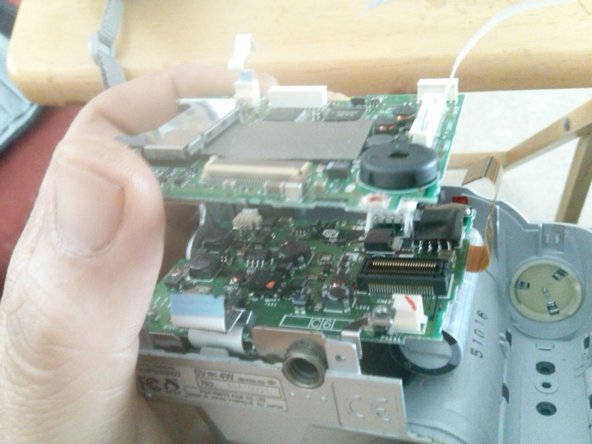
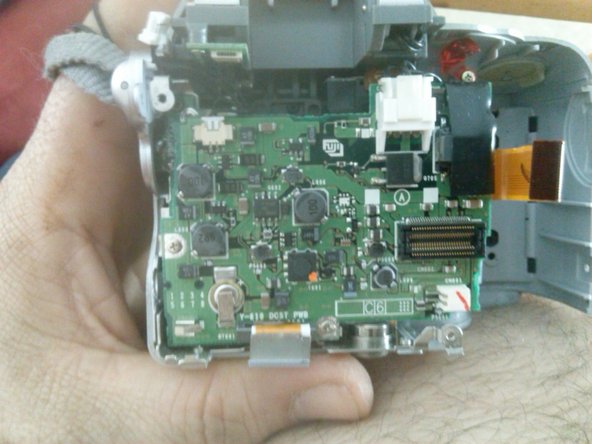
  7. Fujifilm Camera Teardown, Removal of logic board 1: step 7, image 1 of 3 Fujifilm Camera Teardown, Removal of logic board 1: step 7, image 2 of 3 Fujifilm Camera Teardown, Removal of logic board 1: step 7, image 3 of 3
    • STILL WORKING ON THIS GUIDE PLEASE CHECK BACK

Timothy Fogg

Member since: 12/08/14

21 Reputation

1 Guide authored

0 Guide Comments

Add Comment

View Statistics:

Past 24 Hours: 2

Past 7 Days: 20

Past 30 Days: 68

All Time: 1,935