Free Shipping on Domestic Orders $75+

What you need

This teardown is not a repair guide. To repair your Fitbit Zip, use our service manual.

  1. Fitbit Zip Teardown, Fitbit Zip Teardown: step 1, image 1 of 3 Fitbit Zip Teardown, Fitbit Zip Teardown: step 1, image 2 of 3 Fitbit Zip Teardown, Fitbit Zip Teardown: step 1, image 3 of 3
    • Use your iFixit Pro Tech Knife to slice and pry the different colored front and rear cases apart, as shown

    Ask FixBot
  2. Fitbit Zip Teardown: step 2, image 1 of 2 Fitbit Zip Teardown: step 2, image 2 of 2
    • Remove the logic board/display assembly from the rear case

    Ask FixBot
  3. Fitbit Zip Teardown: step 3, image 1 of 2 Fitbit Zip Teardown: step 3, image 2 of 2
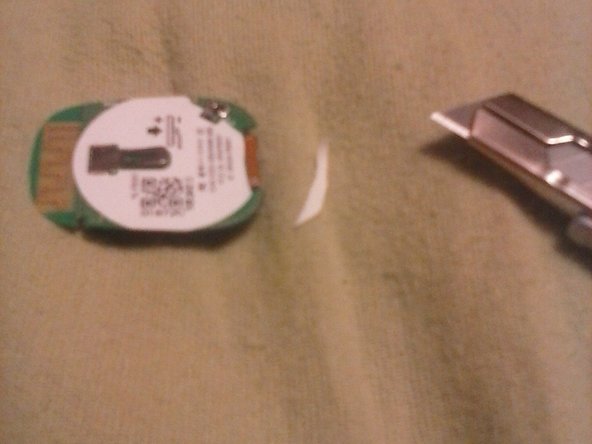
    • Use your knife to slice off the bottom edge of the sticker found here on the rear of the board

    Ask FixBot
  4. Fitbit Zip Teardown: step 4, image 1 of 3 Fitbit Zip Teardown: step 4, image 2 of 3 Fitbit Zip Teardown: step 4, image 3 of 3
    • Use a spudger to gently pry the display away from the logic board

    • Pry softly in each corner of the display, under the black frame

    Ask FixBot
  5. Fitbit Zip Teardown: step 5, image 1 of 1
    • Seems to be it. The display doesn't appear to be separable from the logic board, sadly, making repairability completely out of the question.

    Ask FixBot

Nathanael

Member since: 02/03/14

994 Reputation

2 Guides authored

2 Guide Comments

The display can be separated from the logic board, just pull it free from the logic board connector.

Yuri Silkin - Reply Share

My fitbit zip came apart at the seams. I decided to go ahead and clean the screen off since it was coming apart already and the screen looked dusty. Any ideas on how to put it back together? I goes back together and when I hold it everything functions, but I can't get it to stay together. Silicone? Glue? Any suggestions?

sweeney todd - Reply Share

Add Comment

View Statistics:

Past 24 Hours: 0

Past 7 Days: 11

Past 30 Days: 79

All Time: 2,672