

My Problem
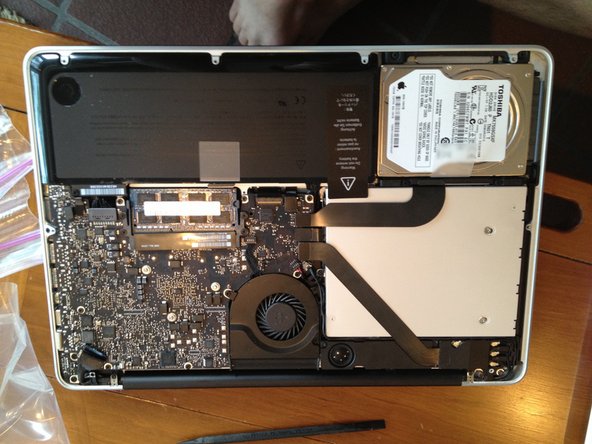
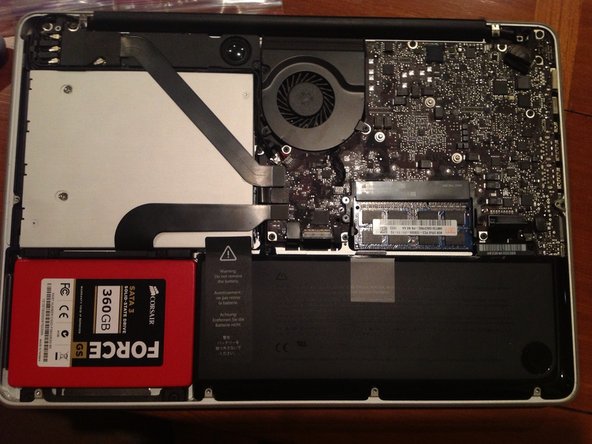
I'm going to China for a photography project and I desperately needed a faster hard drive with more storage to handle the high performance required for photo editing. I ended up getting a Corsair Force 360GB SSD to add to my existing 750GB Toshiba stock HDD, which was already 3/4 full, for a total of a little over 1TB. I planned to boot from the new SSD for increased performance and power efficiency.
My Fix
Considering this was my first build, the repair went fine. The partitioning of the hard drive, however, took longer. After a few hours of online research and some head-scratching, I switched my new SSD and my stock HDD and put it all back together. Carbon Copy Cloner just finished backing up my startup disk to the new SSD. Now, I'm mentally preparing myself to move my startup disk to the SSD and boot from it.
My Advice
Being my first build, there was a bit of a learning curve when formatting the SSD, especially because Corsair is very unhelpful when it comes to Macs. I ended up going online to do some research and I found out about Carbon Copy Cloner and about the troubles with configuring SSDs from the optical drive bay SATA3 connector. These tips were undeniably what saved me from scrapping the $400 project.

0 Comments