Free Shipping on Domestic Orders $75+

iRulu AX760 Camera Replacement

What you need

    1. iRulu AX760 Camera Replacement, Battery: step 1, image 1 of 3 iRulu AX760 Camera Replacement, Battery: step 1, image 2 of 3 iRulu AX760 Camera Replacement, Battery: step 1, image 3 of 3
      • Use a plastic opening tool or metal spudger to free the rear cover.

      • Insert your spudger into the side of your tablet.

      • Crack open each edge and remove the cover.

      Ask FixBot

      Add Comment

    2. iRulu AX760 Camera Replacement: step 2, image 1 of 1
      • Open your tablet.

      Ask FixBot

      Add Comment

    3. iRulu AX760 Camera Replacement: step 3, image 1 of 1
      • Take your plastic flat head tool and insert it under the battery.

      • Lift the battery up.

      • Make sure to remove any tape from the battery.

      Ask FixBot

      Add Comment

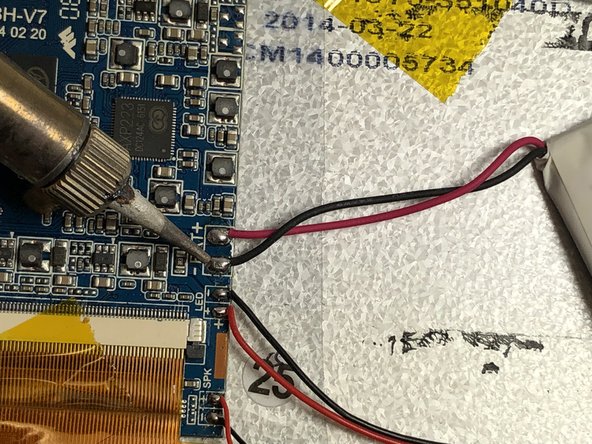
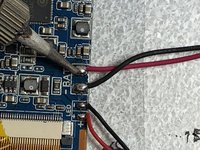
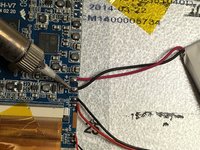
    4. iRulu AX760 Camera Replacement: step 4, image 1 of 2 iRulu AX760 Camera Replacement: step 4, image 2 of 2
      • Use a soldering iron to remove the solder that connects the black and red wires of the battery to the motherboard.

      • Keep the wires of the battery taught.

      • The iron should only be pressed to the solder for 2-3 seconds max.

      • Be very carful, the soldering iron will be very hot!

      • Visit this link for information about soldering. How To Solder and Desolder Connections

      Ask FixBot

      Add Comment

    5. iRulu AX760 Camera Replacement: step 5, image 1 of 1
      • Remove your old battery and replace it with the new battery.

      Ask FixBot

      Add Comment

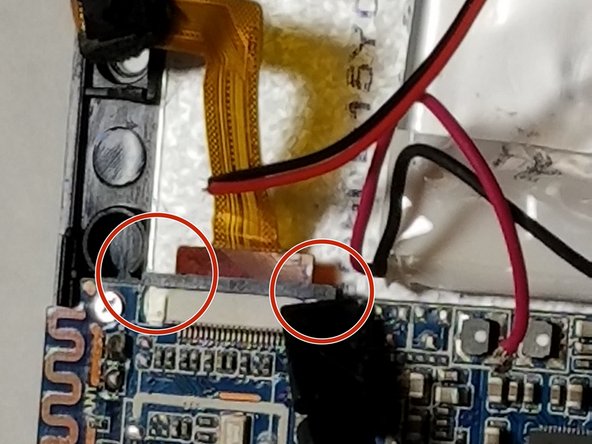
    1. iRulu AX760 Camera Replacement, Camera: step 6, image 1 of 2 iRulu AX760 Camera Replacement, Camera: step 6, image 2 of 2
      • Use the plastic spudger to pry the tabs open on the digitizer ribbon sockets.

      Ask FixBot

      Add Comment

    2. iRulu AX760 Camera Replacement: step 7, image 1 of 1
      • Pull the digitizer ribbon cables straight out of their sockets.

      Ask FixBot

      Add Comment

    3. iRulu AX760 Camera Replacement: step 8, image 1 of 1
      • Pull the camera out of the device.

      Ask FixBot

      Add Comment

Conclusion

To reassemble your device, follow these instructions in reverse order.

Cancel: I did not complete this guide.

Jamison Kritz

Member since: 03/20/18

245 Reputation

2 Guides authored

Team

IUPUI, Team S6-G4, Baechle Spring 2018 Member of IUPUI, Team S6-G4, Baechle Spring 2018

IUPUI-BAECHLE-S18S6G4

4 Members

48 Guides authored

0 Guide Comments

Add Comment

View Statistics:

Past 24 Hours: 1

Past 7 Days: 1

Past 30 Days: 18

All Time: 337