Introduction
This guide will show you how to replace the battery in the iRobot Roomba i7 Plus (model number l7555020). The battery is very important to replace because if you don't have a functioning battery, the Roomba wont turn on. Ways that you can tell when a battery is starting to not work is when you notice your Roomba not turning on or moving slower than usual. Also, it may turn off and on at random moments.
For help diagnosing issues with the battery, check out the troubleshooting page.
What you need
-
-
-
Flip the Roomba over so the underside is facing up.
-
Remove the 4 mm screw connecting the green side brush to the chassis using a Phillips #2 screwdriver.
-
Remove the green side brush.
 Ask FixBot
-
-
-
-
-
-
Remove the five screws from the underside of the Roomba using a Phillips #2 screwdriver.
-
Pull the back plate up and away from the Roomba to remove it from the device.
-
-
-
-
-
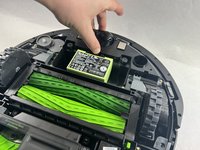
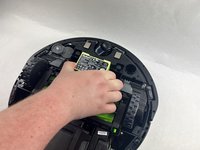
Place a finger on the latch connecting the battery to the chassis.
-
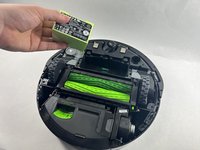
Push the latch away from the Roomba, then pull up on the battery to remove it.
-
-


To reassemble your device, follow these instructions in reverse order.
Cancel: I did not complete this guide.
3 other people completed this guide.

Team

UMass Dartmouth, Team 7-6, Ryckebusch Spring 2023 Member of UMass Dartmouth, Team 7-6, Ryckebusch Spring 2023
UMASSD-RYCKEBUSCH-S23S7G6
3 Members
96 Guides authored
