
iRobot Roomba 690 Battery Replacement

John Galvin and one other contributor
Last updated on May 11, 2022
Views: 2.2K
View statistics:
- Past 24 Hours:
- 0
- Past 7 Days:
- 21
- Past 30 Days:
- 96
- All Time:
- 2,193
Comments: 2
2 guide comments.
Go to guide commentsCompleted: 1 2
1 person has marked this guide "completed." Will you be next?
2 people have marked this guide "completed." Including you — great job!
Favorites: 0 1
No one has favorited (and subscribed to) this guide. Will you be the first?
1 person has favorited (and subscribed to) this guide — and that's you!
Introduction
Go to step 1 ↓After extensive use, you may need to replace the battery for your iRobot Roomba 690 due to it failing to charge or because of frequent overheating. The following guide explains how this can be accomplished. Additionally, this process is sometimes necessary when performing other maintenance, as it is dangerous to work on other electrical components with a live battery is connected to the device. Removing a battery that is functional and undamaged should not present any major hazards.
What you need
Tools

-
-
-
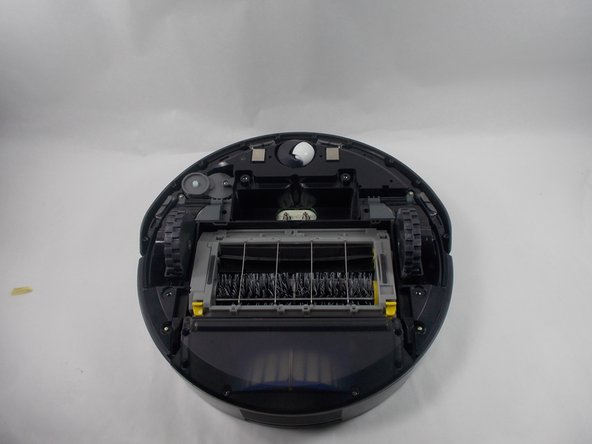
Place the Roomba upside down so that the wheels and brushes are facing upward.
 Ask FixBot
-
-
-
Loosen the captive screw in the spinning brush using a Phillips #0 screwdriver.
-
Remove the spinning brush from the vacuum.
-
-
-
-
-
Remove the four 6.4 mm screws from the bottom of the Roomba using a Phillips #0 screwdriver.
-
-
-
-
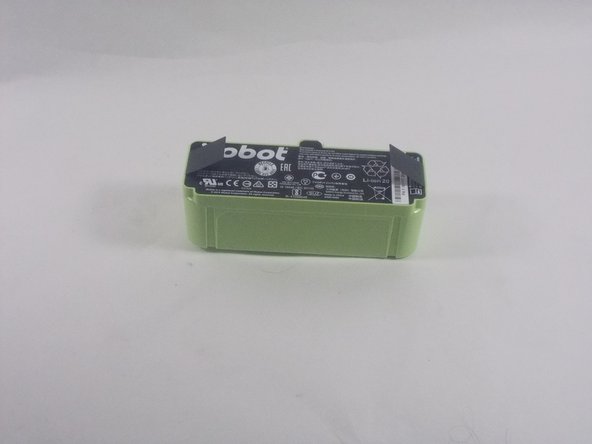
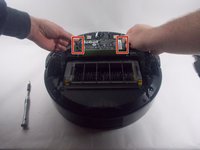
Lift out the battery by pulling up on the two flexible tabs that are attached to the left and right sides.
-
-


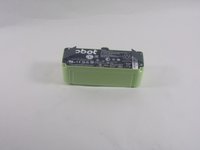
To reassemble your device, follow these instructions in reverse order.
Cancel: I did not complete this guide.
One other person completed this guide.

Team

UMass Dartmouth, Team 1-1, Botvin Spring 2022 Member of UMass Dartmouth, Team 1-1, Botvin Spring 2022
UMASSD-BOTVIN-S22S1G1
2 Members
60 Guides authored
2 Guide Comments
Thanks, super easy and great pictorial instruction.
Yes, this is very easy. Now, how about replacing the old batteries in the battery pack for new ones?
I know that it can be done but so far the experts show replacement of the sealed battery pack.
