Free Shipping on Domestic Orders $75+

iRobot Roomba 551 Brushes Replacement

What you need

  1. iRobot Roomba 551 Brushes Replacement, Side Brush: step 1, image 1 of 1
    • Place your Roomba upside-down on a hard surface.

    Ask FixBot

    Add Comment

  2. iRobot Roomba 551 Brushes Replacement: step 2, image 1 of 1
    • While holding the side brush in place, use a Phillips #1 screwdriver to remove the 4.5mm screw from the center of the brush.

    Ask FixBot

    Add Comment

  3. iRobot Roomba 551 Brushes Replacement: step 3, image 1 of 1
    • Gently pull upwards on the brush to remove it.

    Ask FixBot

    Add Comment

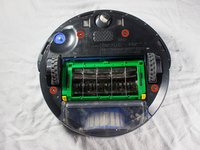
  4. iRobot Roomba 551 Brushes Replacement, Bottom Plate: step 4, image 1 of 1
    • Rotate the Roomba upside-down so the bottom is facing towards you.

    Ask FixBot

    Add Comment

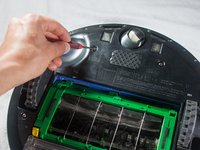
  5. iRobot Roomba 551 Brushes Replacement: step 5, image 1 of 2 iRobot Roomba 551 Brushes Replacement: step 5, image 2 of 2
    • Using a Phillips #2 screwdriver, remove the captive screws that hold the bottom plate in place.

    Ask FixBot

    Add Comment

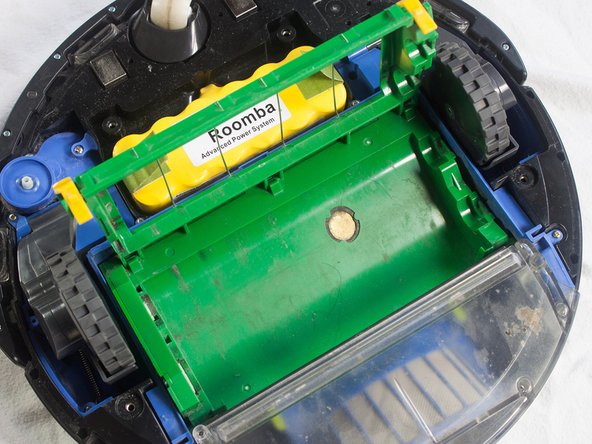
  6. iRobot Roomba 551 Brushes Replacement: step 6, image 1 of 1
    • Carefully lift the bottom plate.

    • The battery is only secured in place by the bottom plate, and may fall out once the bottom plate is removed.

    Ask FixBot

    Add Comment

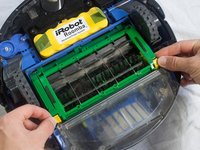
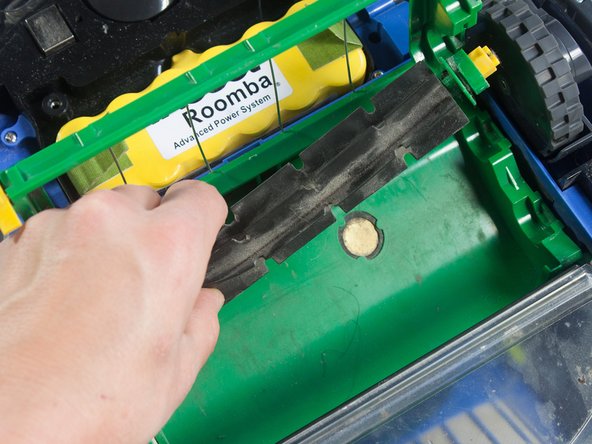
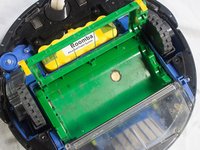
  7. iRobot Roomba 551 Brushes Replacement, Brushes: step 7, image 1 of 2 iRobot Roomba 551 Brushes Replacement, Brushes: step 7, image 2 of 2
    • Pinch the yellow tabs on the sides of the brush cage and lift up to open.

    Ask FixBot

    Add Comment

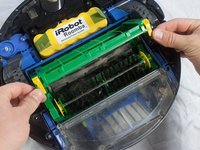
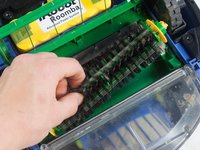
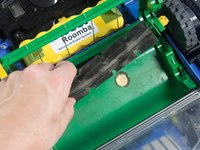
  8. iRobot Roomba 551 Brushes Replacement: step 8, image 1 of 3 iRobot Roomba 551 Brushes Replacement: step 8, image 2 of 3 iRobot Roomba 551 Brushes Replacement: step 8, image 3 of 3
    • Grab each brush and lift upwards to remove.

    Ask FixBot

    Add Comment

Conclusion

To reassemble your device, follow these instructions in reverse order.

Cancel: I did not complete this guide.

John McTigue

Member since: 01/31/14

331 Reputation

3 Guides authored

Team

Cal Poly, Team 13-14, Regan Winter 2014 Member of Cal Poly, Team 13-14, Regan Winter 2014

CPSU-REGAN-W14S13G14

4 Members

19 Guides authored

2 Guide Comments

Should be no need to remove the back plate. Just open the brush cage and lift out the brushes

Gunnar Nybraten - Reply Share

I did all that, bought a new brush cage and it is still announcing error 2-clean brushes.

Christa Eads - Reply Share

Add Comment

View Statistics:

Past 24 Hours: 0

Past 7 Days: 18

Past 30 Days: 93

All Time: 10,424