Repair Guides
Learn how to fix just about anything with our step-by-step guides.
App
Your pocket repair helper.
FixBot
The friendly AI repair assistant.
Repairability
Learn why fixable products make sense.
Teardowns
Get a sneak peek inside the latest gadgets.
Answers Forum
Share solutions and get help from a friend.
Find Your Community
Find teams, events, and fellow fixers.
Help Out
Help make repair knowledge free and accessible for everyone.
Right to Repair
Learn about the Right to Repair movement and how to be an advocate.
Featured
Quality parts and tools backed by our lifetime guarantee.
Tools
Shop our wide selection of precision tools.
Parts
Shop parts backed by our quality guarantee.
iPhone Batteries
Batteries tested and guaranteed plus a kit with everything you need.
Free Shipping on Domestic Orders $75+
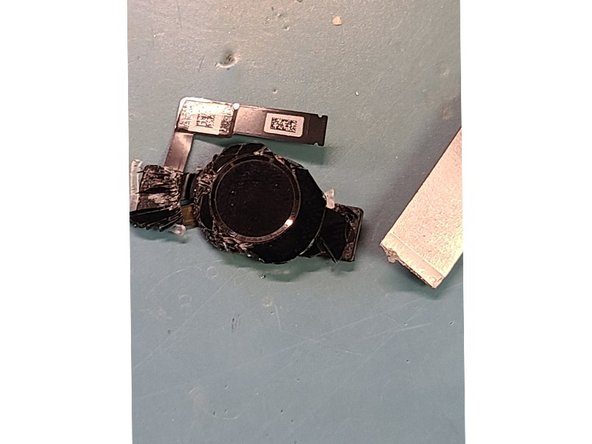
Cracked near home button its important to not break home button flex cable
Apply heat to the screen! Do NOT SKIP THIS STEP
Make sure to turn it off if you can to prevent breaking the backlight filter
Pry with splicer around the edges
Display cables are on the bottom of screen opening up like an upside-down note pad
Lift from the top like so
Display Cables
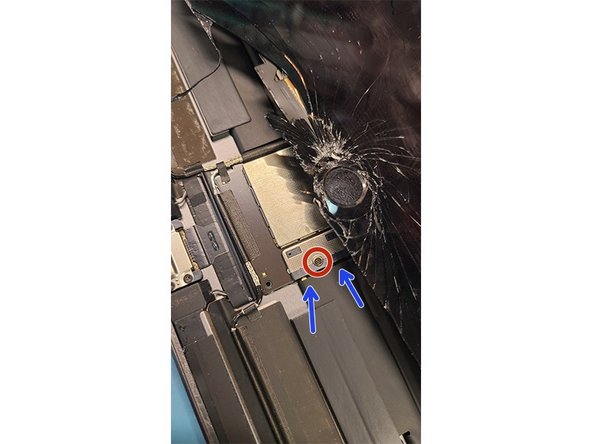
Set screen up a little bit to get to power connection
Power connection has PH000 screw holding it together
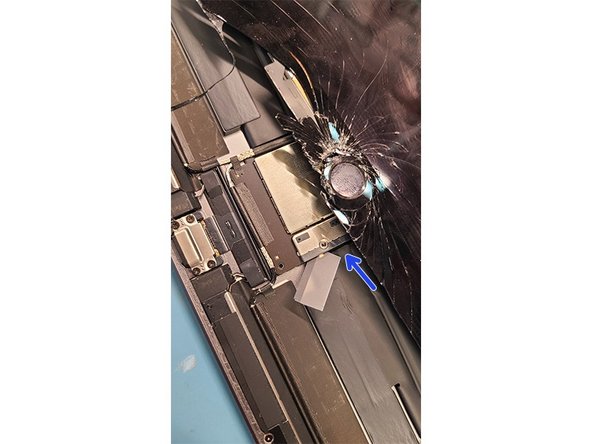
Slide a card under connection
Its very important to disconnect battery try turning it on make sure it is off to avoid further damage to ipad
Lift display back up to get to the display cables
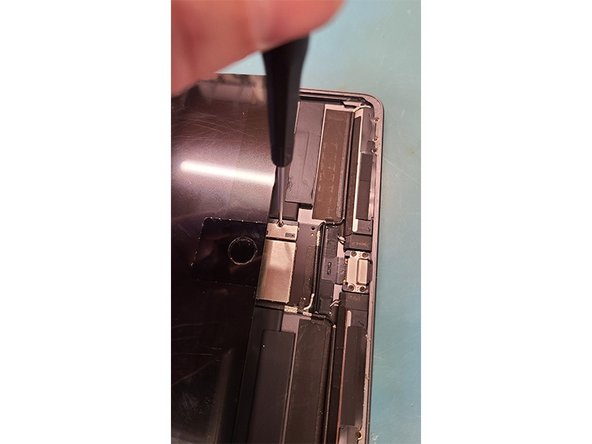
Unscrew 2 PH000 Screws from display cable bracket
Use the flat end of plastic spudger to lift off connections
There is 4 flex cables that need disconnecting
Whoohoo we got it off now clean the edges for any broken glass
Keep track of rubbers covering proximity light sensor on the top
Light covers place on top of proxmity sensors
APPLY HEAT TO HOME BUTTON 15-20 Seconds should do the trick
If heat is not applied you might break the home button along with the touch ID. If you replace the home button touch ID will not work anymore
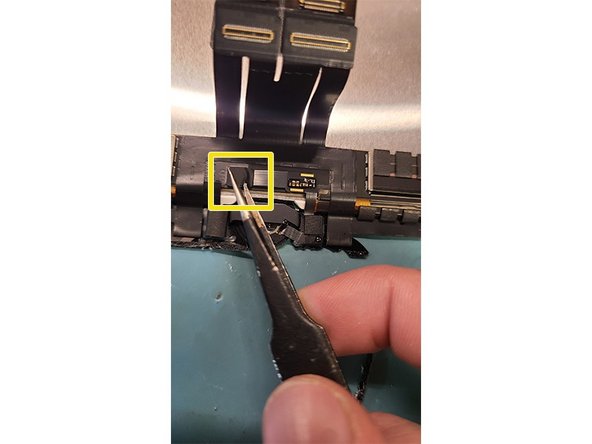
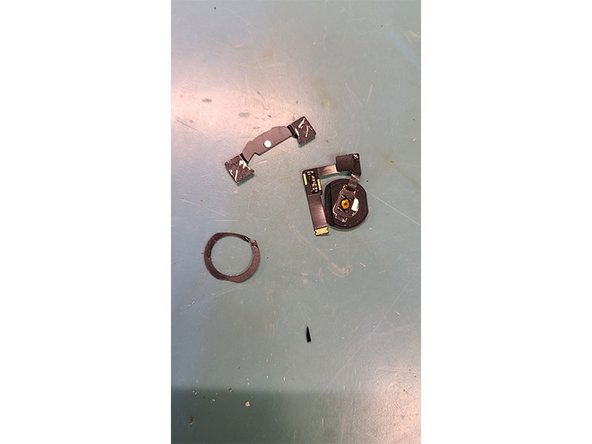
Take of home button flex cover
Use flat end of spudger to pry up home button flex connector
Reapply heat if you spent to much time getting flex unhooked
Pry with splicer under the home button bracket car
Clean glass around gasket
Install home button on new screen I recommend using liquid adhesive for this!
Push the home button a couple of times to make sure it stills on and make sure it is clicking!
Connect all 4 Flex cables to the logic board!
Now at the bottom of the new screen screw in the battery connection to test the new screen!
Test screen drawing on the notes make sure it works!
Adhere new screen with preinstalled adhesive and clap it!
Cancel: I did not complete this guide.
4 other people completed this guide.
with 3 other contributors
Member since: 09/25/19
7,884 Reputation
13 Guides authored
Badges: 26
+23 more badges
Choose a size and copy the code below to embed this guide as a small widget on your site / forum.
Past 24 Hours: 2
Past 7 Days: 38
Past 30 Days: 139
All Time: 4,828