
iNet M1001 Battery Replacement

Abdulateef Abola and 3 other contributors
Last updated on May 26, 2017
Views: 636
View statistics:
- Past 24 Hours:
- 6
- Past 7 Days:
- 23
- Past 30 Days:
- 93
- All Time:
- 636
Comments: 0
No one has left comments on this guide. Will you be first?
Go to guide commentsCompleted: 0 1
No one has marked this guide "completed." Will you be the first?
1 person has marked this guide "completed." It's you — great job!
Favorites: 0 1
No one has favorited (and subscribed to) this guide. Will you be the first?
1 person has favorited (and subscribed to) this guide — and that's you!
Needs Better Images
Better photos will improve this guide. Help out by taking, editing, or uploading new ones!
Introduction
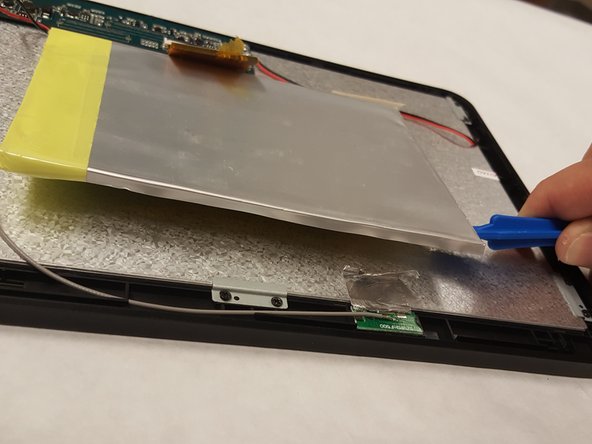
Go to step 1 ↓This guide shows detailed steps on how to replace the battery of the iNet M1001 tablet. This guide is for you if the battery of your iNet M1001 tablet has gone bad and now needs replacement. One should take care not to break open the battery or damage it further when removing it from the device. This guide will show you how to do this in a safe manner.
What you need
Tools


-
-
-
Press the small suction cup on the back cover, and then pull the small suction cup to remove the back cover.
-
-
-
-
Desolder the battery wires with a soldering iron; pull the wires out.
-
Check out this awesome guide for tips on soldering and desoldering.
-
-
-


 Ask FixBot




To reassemble your device, follow these instructions in reverse order.

Team

IUPUI, Team 4-1, Baechle Spring 2017 Member of IUPUI, Team 4-1, Baechle Spring 2017
IUPUI-BAECHLE-S17S4G1
2 Members
48 Guides authored
