Introduction
This is the guide on removing the bottom case from the iNNEXT N64 Classic Controller. Before you begin, make sure that your controller is disconnected from the console.
What you need
-
-
-
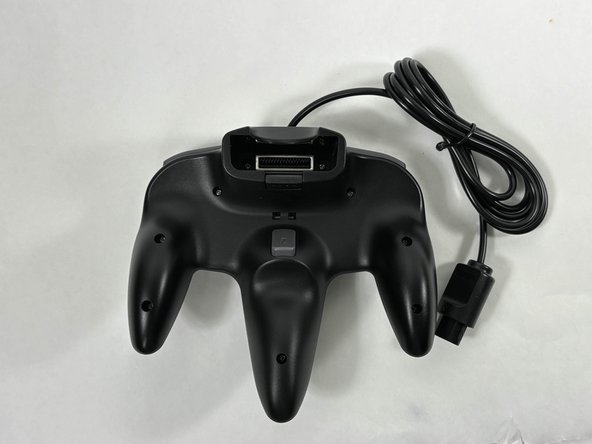
Turn the controller face down.
-
Use a Phillips #00 screwdriver to remove the eight screws on the back of the controller.
 Ask FixBot
-
-
-
-
Insert an opening tool into the seam between the top and bottom case.
-
Work your way around edge of the controller to release the tabs connecting the top and bottom of the controller.
-
Remove the bottom case from the controller.
-
-



To reassemble your device, follow these instructions in reverse order.

Team

UMass Dartmouth, Team 3-4, Santin Fall 2024 Member of UMass Dartmouth, Team 3-4, Santin Fall 2024
UMASSD-SANTIN-F24S3G4
4 Members
60 Guides authored
