iMac Intel 27" Retina 5K Display 2020 RAM Replacement

Last updated on Jul 22, 2021
Views: 15K
View statistics:
- Past 24 Hours:
- 7
- Past 7 Days:
- 45
- Past 30 Days:
- 216
- All Time:
- 15,011
Comments: 21
20 comments on steps, 1 guide comment.
Go to guide commentsCompleted: 3 4
3 people have marked this guide "completed." Will you be next?
4 people have marked this guide "completed." Including you — great job!
Favorites: 1 2
1 person has favorited (and subscribed to) this guide. Will you be next?
2 people have favorited (and subscribed to) this guide — including you!
Featured Guide
This guide has been found to be exceptionally cool by the iFixit staff.
Introduction
Go to step 1 ↓Follow this guide to replace the RAM on a 2020 iMac 27" Retina 5K.
Some photos in this guide are from a different model and may contain slight visual discrepancies, but they won't affect the guide procedure.
Before beginning any work on your iMac: Unplug the computer and press and hold the power button for ten seconds to discharge the power supply's capacitors.
What you need
Fix Kit
This kit contains all the parts and tools needed to complete this guide.

Parts


Tools

-
-
-
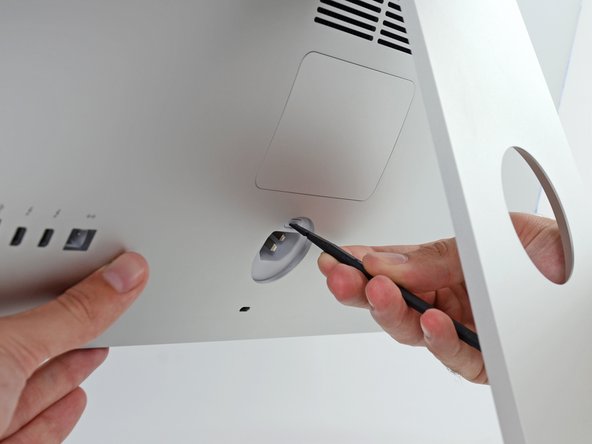
While holding the display steady, use the flat end of a spudger to press in on the RAM door release button, located just above the power port.
 Ask FixBot
-
-
-
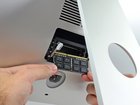
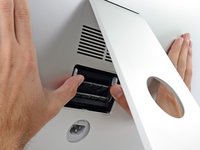
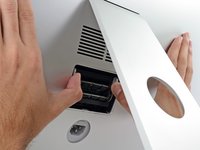
Use your thumbs or index fingers to unlock the tray by pushing the tabs outward, away from the RAM.
-
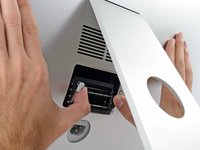
Pull the tabs out and down, swinging the RAM tray down to a near-horizontal position.
-
-
-
-
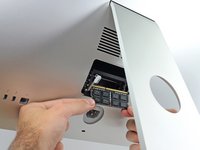
Remove a stick of RAM by grabbing it with two hands and pulling straight out of the RAM tray.
-
To install a new module, insert the module into the desired slot in the tray and press it firmly in place. Push the tray back up until it locks in place.
-
Re-insert the RAM access door back into its place.
-
-







To reassemble your device, follow the above steps in reverse order.
Take your e-waste to an R2 or e-Stewards certified recycler.
Repair didn’t go as planned? Check out our Answers community for troubleshooting help.
Cancel: I did not complete this guide.
3 other people completed this guide.

1 Guide Comment
Does this use standard SO-DIMMS? im thinking of adding two DDR4 2400 4gb sticks to the extra slots to make 16gb.
