
iHome iP1 Motherboard Replacement

Sachin Shenoi and 4 other contributors
Last updated on Dec 5, 2016
Views: 2.6K
View statistics:
- Past 24 Hours:
- 2
- Past 7 Days:
- 17
- Past 30 Days:
- 87
- All Time:
- 2,558
Comments: 7
1 comment on steps, 6 guide comments.
Go to guide commentsCompleted: 4 5
4 people have marked this guide "completed." Will you be next?
5 people have marked this guide "completed." Including you — great job!
Favorites: 0 1
No one has favorited (and subscribed to) this guide. Will you be the first?
1 person has favorited (and subscribed to) this guide — and that's you!
Introduction
Go to step 1 ↓Use this guide to replace your iHome iP1's damaged or faulty motherboard. The motherboard is located on the back of your iHome iP1 and is protected by its back cover. Although the motherboard connects all of the electronic parts in the iHome iP1, it is relatively simple to remove.
What you need
Tools


-
-
-
Orient the iHome upside down with the speakers facing away from you.
 Ask FixBot
-
-
-
Remove the four 9.5 mm Phillips #2 screws located on each of the four corners of the iHome's back cover.
-
-
-
-
-
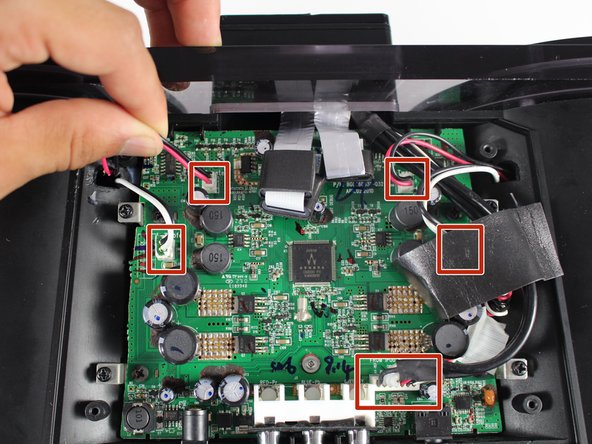
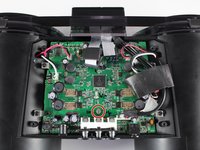
Disconnect all five wire bundles attached to the motherboard by pulling them away from their connection.
-
-
-
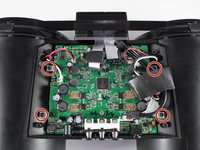
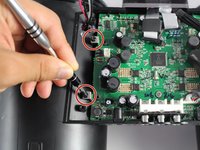
Unscrew the four 9.5 mm Phillips #2 screws on the four metal brackets located at each corner of the motherboard.
-
-
-
-
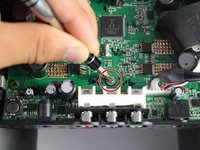
Unscrew the grey 6.0 mm Phillips #1 screw directly above the red, blue, and green component ports.
-
-
-
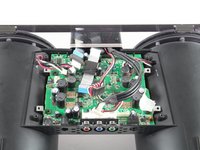
Remove the motherboard from its housing by grabbing it near its edges and carefully pulling it upward.
-
-








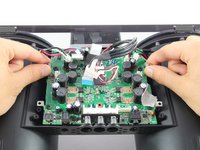
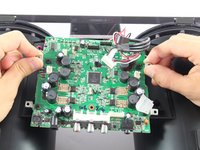
To reassemble your device, follow these instructions in reverse order.
Cancel: I did not complete this guide.
4 other people completed this guide.

Team

Cal Poly, Team 20-1, Livingston Fall 2016 Member of Cal Poly, Team 20-1, Livingston Fall 2016
CPSU-LIVINGSTON-F16S20G1
4 Members
84 Guides authored
6 Guide Comments
Easy to do,
but where can i buy a new motherboard ?
reagrds
Joerg (ifixit@xyz.logopainter.de)
