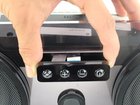
iHome iP1 Buttons Replacement

Wen Sullivan and 2 other contributors
Last updated on Dec 5, 2016
Views: 995
View statistics:
- Past 24 Hours:
- 1
- Past 7 Days:
- 16
- Past 30 Days:
- 80
- All Time:
- 995
Comments: 2
1 comment on steps, 1 guide comment.
Go to guide commentsCompleted: 1 2
1 person has marked this guide "completed." Will you be next?
2 people have marked this guide "completed." Including you — great job!
Favorites: 0 1
No one has favorited (and subscribed to) this guide. Will you be the first?
1 person has favorited (and subscribed to) this guide — and that's you!
Introduction
Go to step 1 ↓Use this guide to replace your iHome iP1's damaged or faulty command buttons. These buttons are located on the front of the iPod/iPhone dock and are used pause/play music and change the volume of the speakers.
What you need
Tools

-
-
-
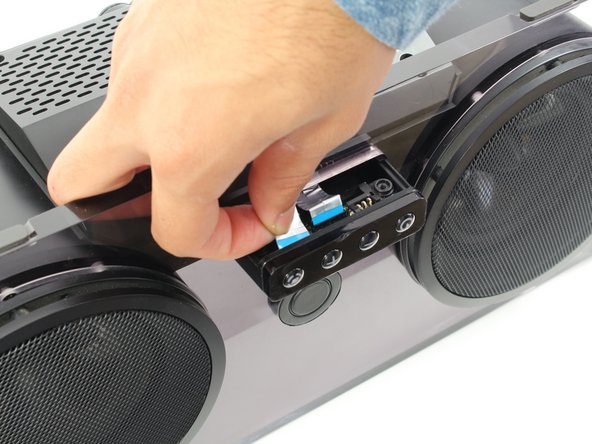
Remove the dock cover by grabbing its sides and pulling it up and away from the faceplate.
-
-
-
-
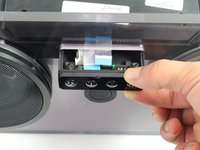
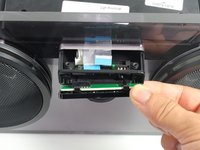
Disconnect the silver ribbon cable on the left-hand side by pulling away from the command buttons.
-
-
-
-
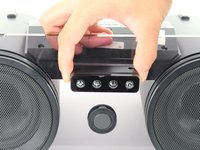
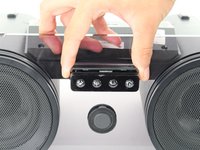
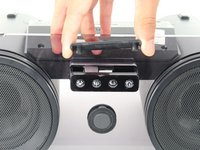
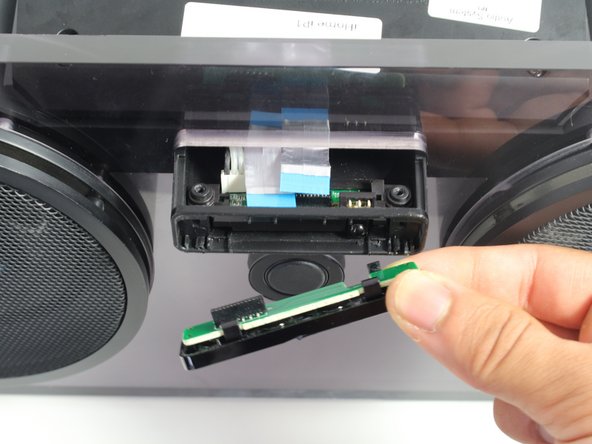
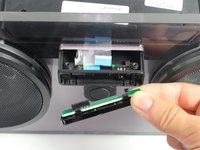
Remove the command buttons by pulling the small black panel containing them downward and away from the faceplate.
-
-

 Ask FixBot





To reassemble your device, follow these instructions in reverse order.
Cancel: I did not complete this guide.
One other person completed this guide.

Team

Cal Poly, Team 20-1, Livingston Fall 2016 Member of Cal Poly, Team 20-1, Livingston Fall 2016
CPSU-LIVINGSTON-F16S20G1
4 Members
84 Guides authored
