Free Shipping on Domestic Orders $75+

iHome iH5 Charging Dock Replacement

What you need

  1. iHome iH5 Charging Dock Replacement, Charging Dock: step 1, image 1 of 1
    • Remove the eight 5/16 inch screws with a #2 Phillips screwdriver.

    Ask FixBot

    Add Comment

  2. iHome iH5 Charging Dock Replacement: step 2, image 1 of 1
    Tool used on this step:
    Tweezers
    $4.99
    Buy
    • Use tweezers to unplug the three wires connected to the circuit board. If the wires are tight pliers might work better.

    Ask FixBot

    Add Comment

  3. iHome iH5 Charging Dock Replacement: step 3, image 1 of 1
    • Remove the five 5/16 inch screws from the circuit board.

    Ask FixBot

    Add Comment

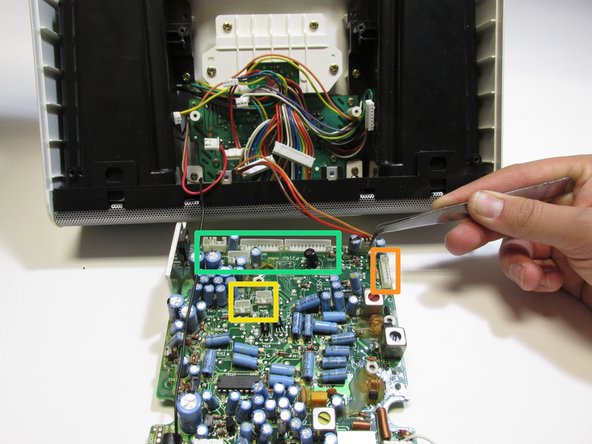
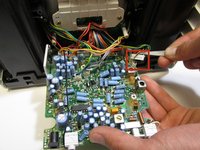
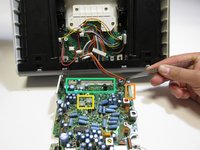
  4. iHome iH5 Charging Dock Replacement: step 4, image 1 of 2 iHome iH5 Charging Dock Replacement: step 4, image 2 of 2
    • Flip the circuit board over.

    • There are capacitors all over the back side of the board. Be careful not to touch these capacitors (blue cylinders) as they can discharge—giving you a shock.

    • Unplug the eight wires attached to the circuit board with tweezers. If the wires are tight pliers might work better.

    • There is on wire in the orange box.

    • There are two wires in the yellow box.

    • There are five wires in the green box.

    Ask FixBot

    Add Comment

  5. iHome iH5 Charging Dock Replacement: step 5, image 1 of 1
    • Remove the following four screws securing the iHome iH5 charging dock.

    • Use a #2 Phillips screwdriver to remove the four screws.

    Ask FixBot

    Add Comment

  6. iHome iH5 Charging Dock Replacement: step 6, image 1 of 1
    • Gently remove the charging dock from the iHome iH5 by pulling it up.

    Ask FixBot

    Add Comment

  7. iHome iH5 Charging Dock Replacement: step 7, image 1 of 1
    • Remove the final screws connecting the iH5 charging dock to the plastic holding platform

    • Use a #2 Phillips screwdriver to remove the 3/8 inch screws.

    Ask FixBot

    Add Comment

  8. iHome iH5 Charging Dock Replacement: step 8, image 1 of 1
    • Replace the old iH5 charging dock with new iH5 charging dock.

    Ask FixBot

    Add Comment

Conclusion

To reassemble your device, follow these instructions in reverse order.

Cancel: I did not complete this guide.

Dustin Lamb

Member since: 03/13/14

103 Reputation

1 Guide authored

0 Guide Comments

Add Comment

View Statistics:

Past 24 Hours: 1

Past 7 Days: 7

Past 30 Days: 28

All Time: 1,336