
iHome iAVS16 Motherboard Replacement

James Hoye and 7 other contributors
Last updated on May 7, 2024
Views: 688
View statistics:
- Past 24 Hours:
- 1
- Past 7 Days:
- 17
- Past 30 Days:
- 69
- All Time:
- 688
Comments: 0
No one has left comments on this guide. Will you be first?
Go to guide commentsCompleted: 0 1
No one has marked this guide "completed." Will you be the first?
1 person has marked this guide "completed." It's you — great job!
Favorites: 0 1
No one has favorited (and subscribed to) this guide. Will you be the first?
1 person has favorited (and subscribed to) this guide — and that's you!
Introduction
Go to step 1 ↓The iHome iAVS16 is an Amazon Alexa enabled bedside/office alarm clock capable of setting alarms, telling time and date, as well as playing music and controlling smart devices within the home via voice commands. This guide will show you how to disassemble the iHome iAVS16 bedside clock to access the motherboard in case of failure. Before beginning, make sure to power off the device completely and disconnect from any external power source.
What you need
Tools
-
Tweezers4.9


-
-
-
Remove the four 1.7 mm Phillips #0 screws located on the bottom of the device.
-
Lift up the bottom of the device.
 Ask FixBot
-
-
-
Remove the two 1.7 mm Phillips #0 screws holding the white face place onto the inside of the device's bottom.
-
Using an iFixit opening tool on the side without the black adhesive, carefully lift up the white face plate.
-
-
Tool used on this step:Tweezers$4.99
-
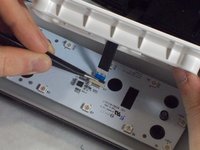
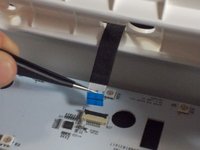
Using the tweezers, lift up on the black tab holding the ribbon cable down.
-
Carefully pull the ribbon cable back and out of the slot.
-
-
-
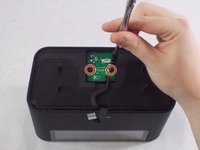
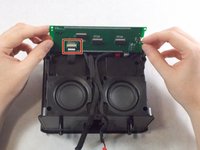
Remove the two 1.7 mm Phillips #0 screws holding the power board in.
-
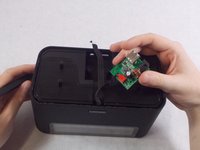
Carefully flip the board over.
-
Remove the red connector from its socket with a pair of tweezers.
-
-
-
-
-
-
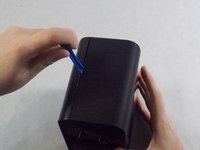
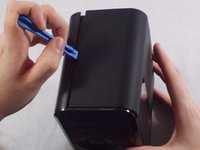
Insert an iFixit opening tool into the lining on the front casing and pry it apart. Do this for both sides.
-
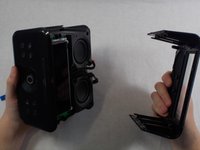
Further remove the front casing off from the device manually with your hands.
-
-
-
Remove the four 1.7 mm Phillips #0 screws holding the LCD onto the front of the device.
-
-
-
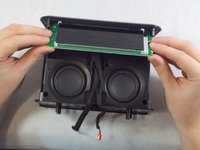
Carefully flip the LCD display over to expose the ribbon cable connecting it.
-
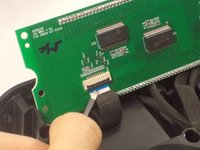
Lift the black tab holding the cable down, and carefully put it out of the socket.
-
-
-
-
Tool used on this step:Tweezers$4.99
-
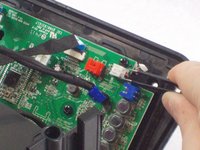
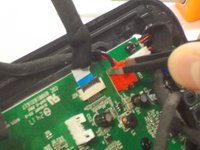
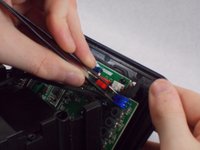
Using tweezers, unplug the white, red, and blue connectors from the motherboard by pulling each out.
-




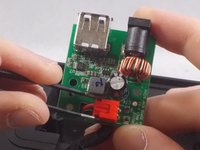







To reassemble your device, follow these instructions in reverse order.

Team

UMass Dartmouth, Team S1-G7, O'Connell Fall 2019 Member of UMass Dartmouth, Team S1-G7, O'Connell Fall 2019
UMASSD-O'CONNELL-F19S1G7
4 Members
60 Guides authored
