Free Shipping on Domestic Orders $75+

Zoomer Meowzies Back Button Contact Replacement

Views: 733

View statistics:

Past 24 Hours:
2
Past 7 Days:
12
Past 30 Days:
61
All Time:
733
Comments: 0

No one has left comments on this guide. Will you be first?

Go to guide comments
Completed: 0

No one has marked this guide "completed." Will you be the first?

Favorites: 0

No one has favorited (and subscribed to) this guide. Will you be the first?

Time Required: 7 minutes
Difficulty: Moderate
Zoomer Meowzies Back Button Contact Replacement

Introduction

Go to step 1 ↓

The button on the device's back may sometimes become damaged or dirty and therefore need replacement. This guide will go over how to access the back button's contact in order to clean or replace.

What you need

Parts

Tools

    1. Zoomer Meowzies Back Button Contact Replacement, Legs: step 1, image 1 of 3 Zoomer Meowzies Back Button Contact Replacement, Legs: step 1, image 2 of 3 Zoomer Meowzies Back Button Contact Replacement, Legs: step 1, image 3 of 3
      • Using the Triangle driver remove the four 7.5 mm screws.

      • The two front screws are deeper than the two on the back legs which may cause difficulties. These can be reached by putting the bit in first then carefully putting the driver on slightly (not all the way)

      Ask FixBot

      Add Comment

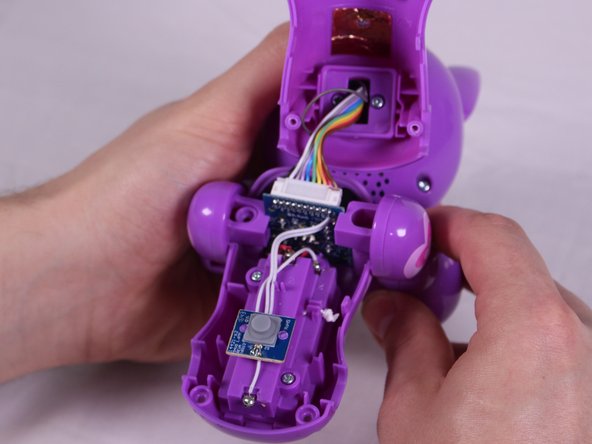
    2. Zoomer Meowzies Back Button Contact Replacement: step 2, image 1 of 2 Zoomer Meowzies Back Button Contact Replacement: step 2, image 2 of 2
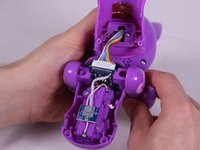
      • Turn the device so that the the device is on its side.

      • Hold the back and belly on the device and gently pull apart.

      • Pulling with too much force might damage a few cables inside, so caution is needed.

      Ask FixBot

      Add Comment

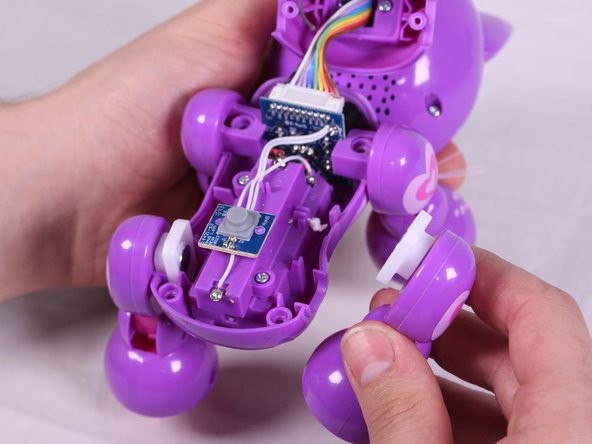
    3. Zoomer Meowzies Back Button Contact Replacement: step 3, image 1 of 3 Zoomer Meowzies Back Button Contact Replacement: step 3, image 2 of 3 Zoomer Meowzies Back Button Contact Replacement: step 3, image 3 of 3
      • With insides exposed, grab leg and gently pull up and away from the body to detach them. Repeat for all legs needed.

      Ask FixBot

      Add Comment

    1. Zoomer Meowzies Back Button Contact Replacement, Back Button Contact Point: step 4, image 1 of 3 Zoomer Meowzies Back Button Contact Replacement, Back Button Contact Point: step 4, image 2 of 3 Zoomer Meowzies Back Button Contact Replacement, Back Button Contact Point: step 4, image 3 of 3
      Tool used on this step:
      Tweezers
      $4.99
      Buy
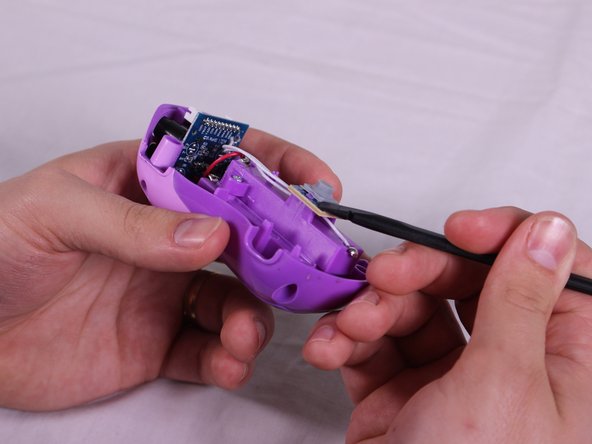
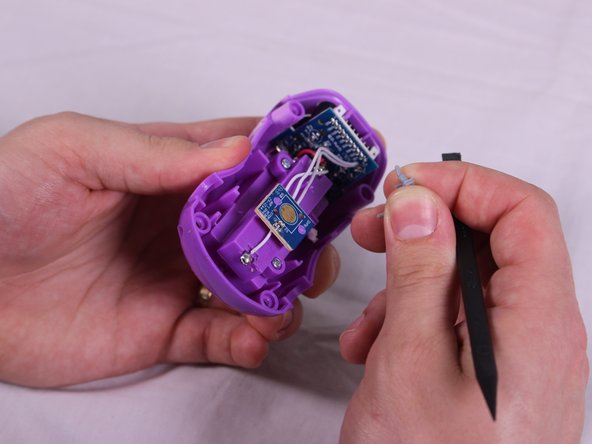
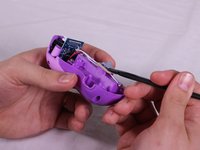
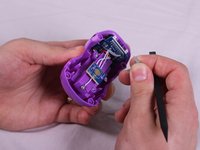
      • Locate the gray rubber contact in the middle of the bottom half of the device. Using the spudger, lift one corner of the contact until it pops loose.

      • Grab the contact and gently pull until the other side detaches.

      • When replacing the contact pad, use the narrow leads on the pad to pull it into place by twisting around the tips of the tweezers.

      Ask FixBot

      Add Comment

Conclusion

To reassemble your device, follow these instructions in reverse order.

Cancel: I did not complete this guide.

Mitchell Gentry

Member since: 02/14/18

693 Reputation

6 Guides authored

Team

USF Tampa, Team S6-G2, Eyestone Spring 2018 Member of USF Tampa, Team S6-G2, Eyestone Spring 2018

USFT-EYESTONE-S18S6G2

3 Members

96 Guides authored

0 Guide Comments

Add Comment

View Statistics:

Past 24 Hours: 2

Past 7 Days: 12

Past 30 Days: 61

All Time: 733