
Zoom H1 Handy Recorder Battery Terminal Replacement

Last updated on Jan 5, 2024
Views: 7.8K
View statistics:
- Past 24 Hours:
- 2
- Past 7 Days:
- 28
- Past 30 Days:
- 110
- All Time:
- 7,764
Comments: 9
2 comments on steps, 7 guide comments.
Go to guide commentsCompleted: 0 1
No one has marked this guide "completed." Will you be the first?
1 person has marked this guide "completed." It's you — great job!
Favorites: 3 4
3 people have favorited (and subscribed to) this guide. Will you be next?
4 people have favorited (and subscribed to) this guide — including you!
Introduction
Go to step 1 ↓Welcome to the Zoom H1 Handy Recorder guide to replace the battery terminal. It will happen at times that the battery terminal corrodes, suffers damage, or ages in quality, making the device not work properly or cease to turn on in general. This guide will provide step-by-step instructions to help you replace the battery terminal. Although this guide is easy to follow, there is a special skill necessary: soldering.
Caution! About soldering: there are some hazards to be aware of, necessary equipment, and the act of soldering itself. Luckily, iFixit has a Wiki on all of the above! Click here to access the Wiki. Now go and make your Zoom H1 Handy Recorder work like new again!
What you need
Tools


-
-
-
Unscrew the two (2) #00, 10 mm screws located below the mic on the back cover
-
-
-
-
Remove the back plate by using a plastic removal tool to pry the back cover up around the edges.
-

 Ask FixBot


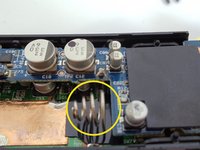
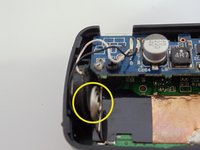


To Re-construct device, perform these steps in reverse order.

7 Guide Comments
Caution is needed with step 5. My backside broke off using a spudger to attempt to remove.
Mine has third screw under the serial-number sticker.
Can anyone advise where to find replacement terminals? My zoom h1 has bad corrosion of its battery terminals and I would like to follow this guide to fix them! Thanks!
