Free Shipping on Domestic Orders $75+

Zenbre SoundBank Z3 Battery Replacement

What you need

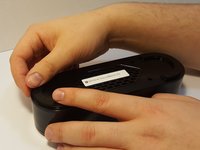
  1. Zenbre SoundBank Z3 Battery Replacement, Bottom Cover: step 1, image 1 of 2 Zenbre SoundBank Z3 Battery Replacement, Bottom Cover: step 1, image 2 of 2
    • Power off the SoundBank Z3.

    • Turn over the device.

    • Peel the silicone feet up to remove.

    • No extra adhesive is needed to reapply the feet as long as the sticky side is not touched.

    Ask FixBot

    Add Comment

  2. Zenbre SoundBank Z3 Battery Replacement: step 2, image 1 of 1
    • Remove all eight of the 11 mm Phillips screws from the bottom of the device.

    Ask FixBot

    Add Comment

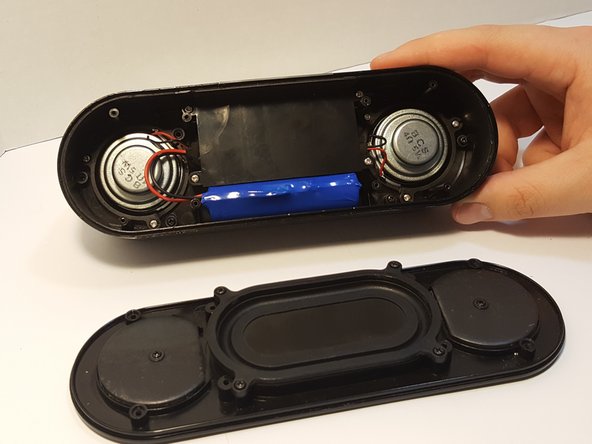
  3. Zenbre SoundBank Z3 Battery Replacement: step 3, image 1 of 2 Zenbre SoundBank Z3 Battery Replacement: step 3, image 2 of 2
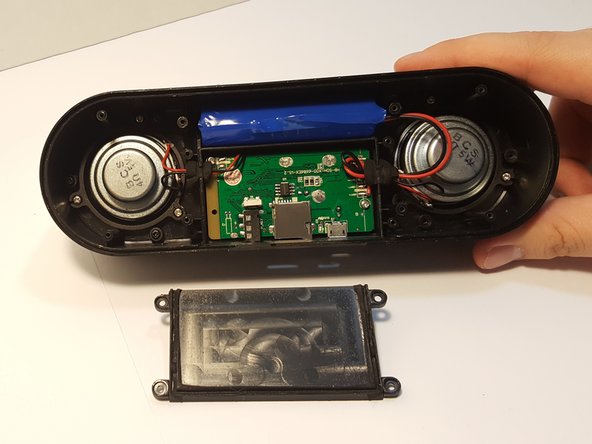
    • Remove the bottom panel speaker using an iFixit opening tool.

    Ask FixBot

    Add Comment

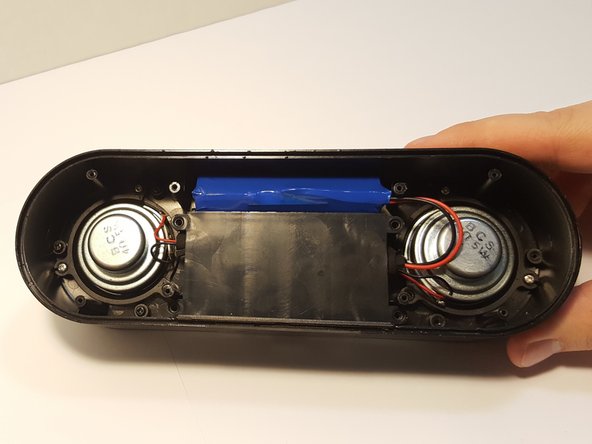
  4. Zenbre SoundBank Z3 Battery Replacement, Motherboard Cover: step 4, image 1 of 3 Zenbre SoundBank Z3 Battery Replacement, Motherboard Cover: step 4, image 2 of 3 Zenbre SoundBank Z3 Battery Replacement, Motherboard Cover: step 4, image 3 of 3
    • Remove the four 4.5 mm silver Phillips screws that secure the plastic panel covering the motherboard.

    • Remove the plastic panel.

    Ask FixBot

    Add Comment

  5. Zenbre SoundBank Z3 Battery Replacement, Battery: step 5, image 1 of 2 Zenbre SoundBank Z3 Battery Replacement, Battery: step 5, image 2 of 2
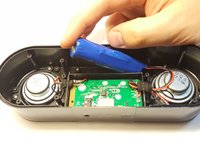
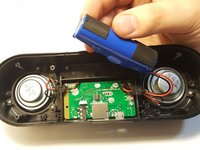
    • Remove the battery from the holder. It may be difficult the first time.

    • Use a spudger between the battery and speaker wall to loosen it from its surroundings.

    • If the battery is punctured, leaking, or bloated/puffy, it may be hazardous and should be properly disposed of.

    Ask FixBot

    Add Comment

  6. Zenbre SoundBank Z3 Battery Replacement: step 6, image 1 of 2 Zenbre SoundBank Z3 Battery Replacement: step 6, image 2 of 2
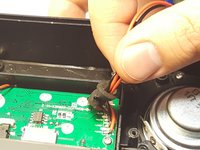
    • Remove the pressure-fitted foam from the slot by hand.

    • Unravel and remove foam from the wires.

    • When reassembling, the foam can be re-wrapped if care is taken when handling it.

    Ask FixBot

    Add Comment

  7. Zenbre SoundBank Z3 Battery Replacement: step 7, image 1 of 1
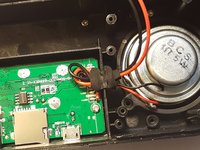
    • Using a soldering iron, remove the leads, separating the battery from motherboard.

    • Follow this guide to help you remove the wires from the motherboard if you are unfamiliar with soldering.

    Ask FixBot

    Add Comment

Conclusion

To reassemble your device, follow these instructions in reverse order.

Cancel: I did not complete this guide.

3 other people completed this guide.

Cherian Thomas

Member since: 03/25/16

334 Reputation

5 Guides authored

3 Guide Comments

Thank you for providing battery replacement instructions for the ZENGRE BlueTooth speaker system. They are very helpful.

Michael Coleman - Reply Share

Bendiciones. con que batería la reemplazaste? podrías enviarme un link para comprarlo, desde ya muchas gracias

Alier Obed Jaenz Rivas - Reply Share

MUCHAS GRACIAS!!!!

Sin embargo hubiese sido exelente pudiese mostrarse los tipos de batería con los cuales se puede reemplazar.

Alier Obed Jaenz Rivas - Reply Share

Add Comment

View Statistics:

Past 24 Hours: 1

Past 7 Days: 4

Past 30 Days: 28

All Time: 5,022