
Zeki TBQG884B Camera Replacement

Natalie Holm and 12 other contributors
Last updated on Jan 10, 2025
Views: 834
View statistics:
- Past 24 Hours:
- 2
- Past 7 Days:
- 13
- Past 30 Days:
- 87
- All Time:
- 834
Comments: 0
No one has left comments on this guide. Will you be first?
Go to guide commentsCompleted: 3 4
3 people have marked this guide "completed." Will you be next?
4 people have marked this guide "completed." Including you — great job!
Favorites: 0 1
No one has favorited (and subscribed to) this guide. Will you be the first?
1 person has favorited (and subscribed to) this guide — and that's you!
Introduction
Go to step 1 ↓A working camera serves many functions such as capturing photos, scanning documents, and engaging in video calls. If the camera is faulty or damaged due to reasons such as water exposure and drop impact, replacing it will help restore these functionalities.
In this step-by-step guide, you will replace a damaged camera on a Zeki TBQG884B tablet. Perform each step with caution because fragile components are involved. No special skills are required to replace the camera.
What you need
Tools


-
-
-
Remove the two screws from the end of the device where the ports are located using a Phillips #1 screwdriver.
 Ask FixBot
-
-
-
Place the tablet down so that the screen is facing away from you.
-
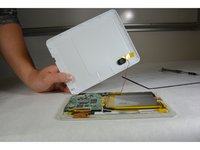
Insert the tip of your opening tool into the small gap between the gray and white plastic covering. Pry it open and you should hear the clips opening up.
-
Gently work your way around the perimeter of the tablet's edge.
-
-
-
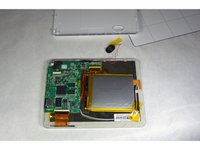
Remove the back cover
-
Remove any tape on the speaker and detach the speaker from the back plate.
-
-
-
-
-
Tool used on this step:Tweezers$4.99
-
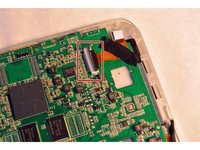
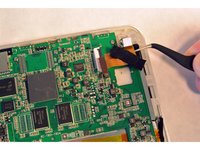
Open the ZIF connector, the black lock part over the wire ribbon in the motherboard, and remove the wire ribbon that connects the motherboard and the camera.
-
-




To reassemble your device, follow these instructions in reverse order.
Cancel: I did not complete this guide.
3 other people completed this guide.

Team

IUPUI, Team 1-3, Harley Fall 2015 Member of IUPUI, Team 1-3, Harley Fall 2015
IUPUI-HARLEY-F15S1G3
5 Members
60 Guides authored
