Free Shipping on Domestic Orders $75+

Zebra GK420t Platten Rollers Replacement

  1. Zebra GK420t Platten Rollers Replacement, Removing The Roller: step 1, image 1 of 2 Zebra GK420t Platten Rollers Replacement, Removing The Roller: step 1, image 2 of 2
    • Power Off the device and open the main cover

    • locate the 2 tabs on either side of the roller and push them outwards to release them

    • Pull up on both tabs to release the roller from the printer

    Ask FixBot
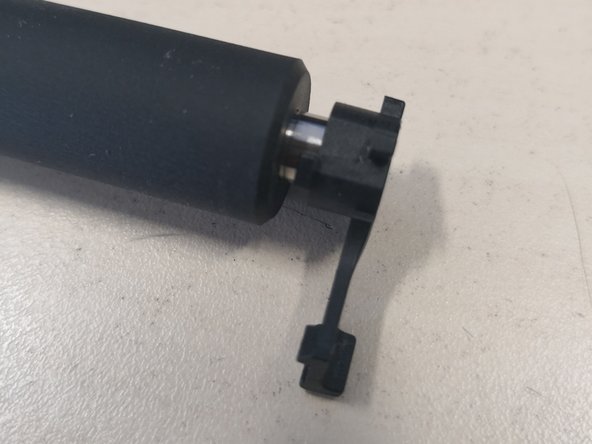
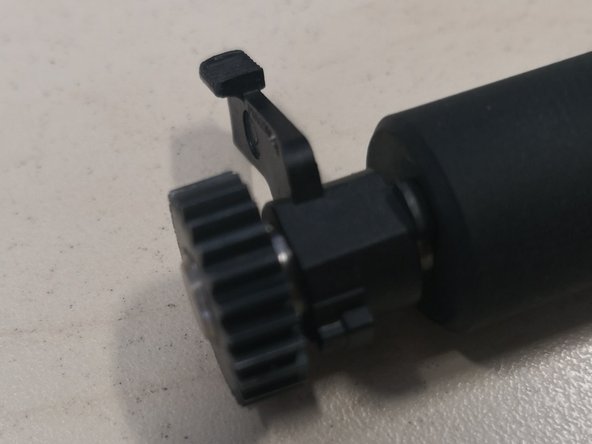
  2. Zebra GK420t Platten Rollers Replacement, Building the New Roller: step 2, image 1 of 3 Zebra GK420t Platten Rollers Replacement, Building the New Roller: step 2, image 2 of 3 Zebra GK420t Platten Rollers Replacement, Building the New Roller: step 2, image 3 of 3
    • The new Roller will be packaged in separate sections in the order that it needs building

    • Starting on the right the shorter side of the roller place 1 tab

    • On the left side of the roller place the other tab and then the cog to secure the tab in place

    Ask FixBot
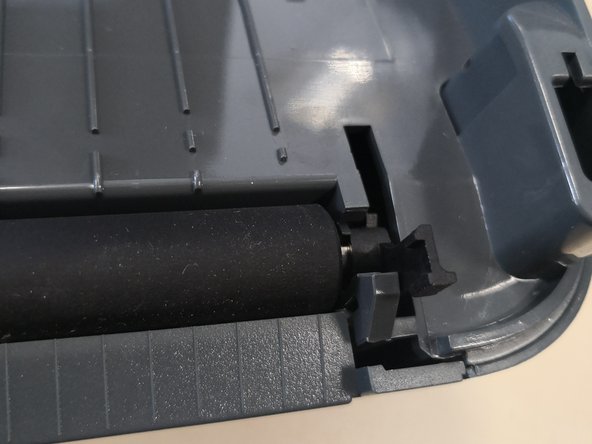
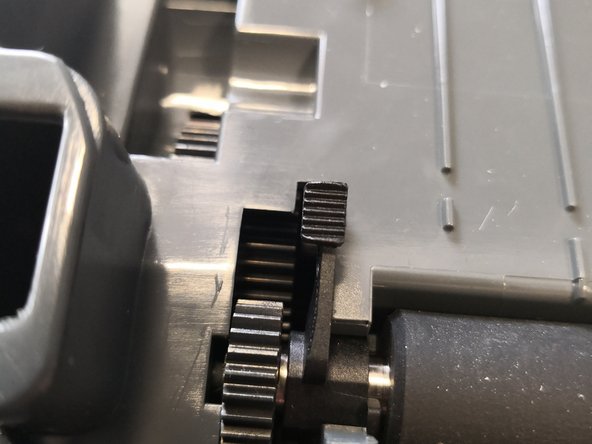
  3. Zebra GK420t Platten Rollers Replacement, Fitting the Roller: step 3, image 1 of 3 Zebra GK420t Platten Rollers Replacement, Fitting the Roller: step 3, image 2 of 3 Zebra GK420t Platten Rollers Replacement, Fitting the Roller: step 3, image 3 of 3
    • Make sure the printer is clear of debris

    • Insert the roller keeping the tabs up

    • Once inserted push the tabs down to lock in place with the body of the printer

    Ask FixBot
Conclusion

To reassemble your device, follow these instructions in reverse order.

IT Asset Team

Member since: 03/20/19

147 Reputation

1 Guide authored

0 Guide Comments

Add Comment

View Statistics:

Past 24 Hours: 2

Past 7 Days: 10

Past 30 Days: 49

All Time: 945