Introduction
The ZTE ZFive G LTE is a smartphone manufactured by the ZTE company in 2018 and the model number is Z557BL.
The removal and installation of a SIM card on the ZTE ZFive G LTE can be completed in three easy steps. This guide will walk through the removal of the back cover. As well as replacing the old sim card with a new one.
ZTE ZFive G LTE uses a nano-SIM card, and to avoid any damage to the phone, do not use any other kind of SIM card, or any non-standard nano-SIM card cut from a SIM card. You can get a standard nano-SIM card from your service provider.
Before beginning this guide, make sure to power off your phone completely and disconnect from any external power source.
You can download the complete version of the user manual provided by ZTE by referring to this page.
What you need
-
-
-
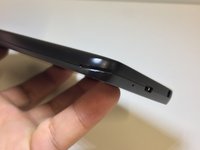
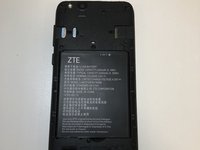
Pry open the back cover from the crease at the bottom left corner with opening tool or fingernail.
 Ask FixBot
-
-
-
-
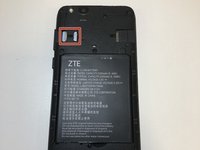
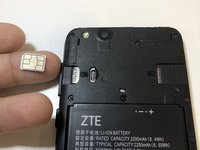
If there is a previous SIM card, remove the card with an opening tool or your fingernail.
-
-
-
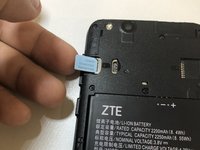
Slide the new SIM card in with the metal signal facing down.
-
After inserting the SIM card, put the case back on the phone.
-
-






To reassemble your device, follow these instructions in reverse order.

Team

University of North Texas, Team S1-G1, Riccardelli Fall 2018 Member of University of North Texas, Team S1-G1, Riccardelli Fall 2018
UNT-RICCARDELLI-F18S1G1
4 Members
60 Guides authored
