
ZTE Speed Front and Back Camera Replacement

Garrett Barry and
Last updated on Aug 8, 2019
Views: 960
View statistics:
- Past 24 Hours:
- 6
- Past 7 Days:
- 17
- Past 30 Days:
- 104
- All Time:
- 960
Comments: 0
No one has left comments on this guide. Will you be first?
Go to guide commentsCompleted: 3 4
3 people have marked this guide "completed." Will you be next?
4 people have marked this guide "completed." Including you — great job!
Favorites: 1 2
1 person has favorited (and subscribed to) this guide. Will you be next?
2 people have favorited (and subscribed to) this guide — including you!
What you need
Tools


Introduction
Go to step 1 ↓Removing the cameras of the ZTE Speed is a very simple process, proceed below!
-
-
-
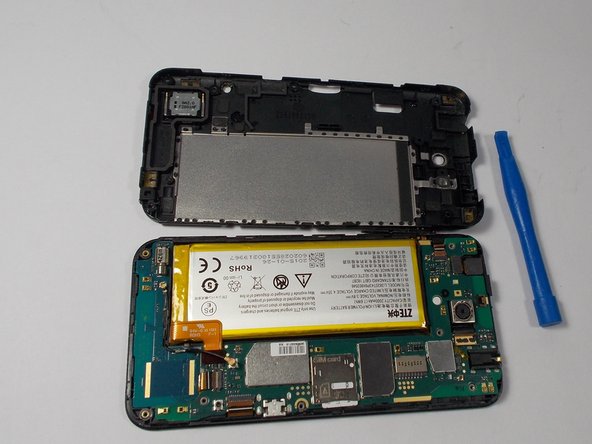
Remove the seven 3.175mm Phillips head screws from the inner back located at the top, upper-middle-right, middle-right, lower-right, and bottom.
-
-
-
-
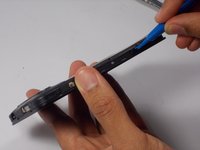
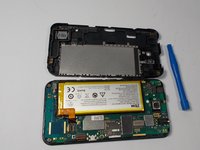
With the plastic opening tool the spudger, gently pry off the inner back seal around the phone.
-
Be careful not to pry it off too harsh, as it is just plastic.
-
-
-
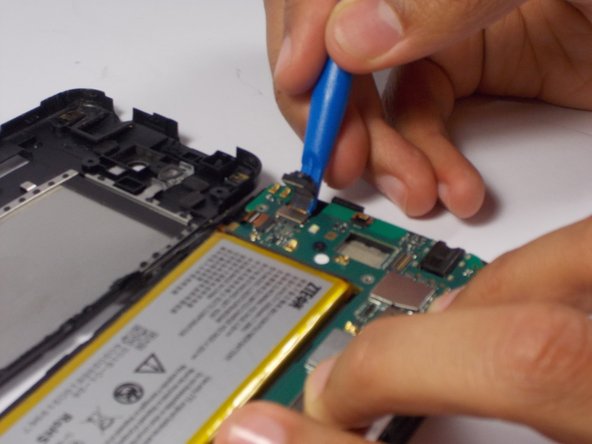
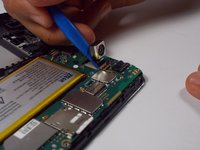
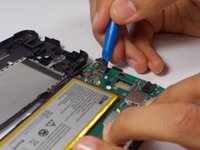
With the spudger, gently pry off camera at the top-middle of the phone to get back camera.
-
With the spudger, gently pry off camera at the top-left of the phone to get the front camera.
-


 Ask FixBot



To reassemble your device, follow these instructions in reverse order.
Cancel: I did not complete this guide.
3 other people completed this guide.

Team

UMass Dartmouth, Team 6-3, Bhusal Spring 2016 Member of UMass Dartmouth, Team 6-3, Bhusal Spring 2016
UMASSD-BHUSAL-S16S6G3
3 Members
60 Guides authored
