Introduction
Has your ZTE Quest’s rear-facing camera been badly scratched or damaged? This guide will provide instructions on how to replace your camera. All you need is a plastic opening tool, some tweezers, and a JIS #000 screwdriver.
What you need
-
-
-
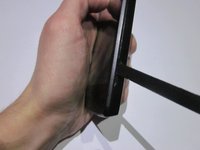
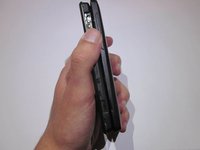
Orient the device so that the inset on the right side of the device is facing you.
-
Insert the spudger into the inset and carefully remove the back panel.
 Ask FixBot
-
-
-
-
-
Use the JIS #000 screwdriver to remove the six 3.0mm screws placed in the back of the ZTE Quest.
-
-
-
Tool used on this step:Tweezers$4.99
-
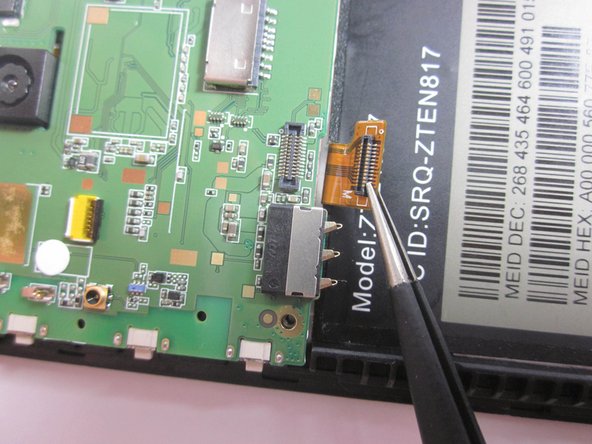
Use a pair of tweezers to gently disconnect the ribbon cable connector from its socket.
-
-
-
Pull back the tape encasing the brown ribbon cable connector.
-
Remove the ribbon cable from its socket.
-
-
-
Unplug the flat-top connector by using a pair of tweezers to pry up each side before removing the connector from its socket.
-
-
-
Disconnect the coaxial connector in the bottom right corner of the motherboard.
-
-
-
-
Tool used on this step:Tweezers$4.99
-
Flip the motherboard over and find the camera’s flat-top connector.
-
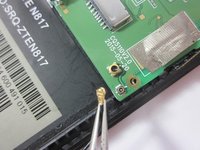
Gently pry up each side of the connector with a pair of tweezers before fully removing it.
-
-






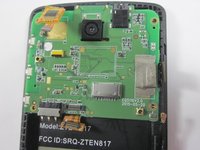

To reassemble your device, follow these instructions in reverse order.
Cancel: I did not complete this guide.
One other person completed this guide.

Team

UMass Dartmouth, Team S3-G6, Peak Fall 2018 Member of UMass Dartmouth, Team S3-G6, Peak Fall 2018
UMASSD-PEAK-F18S3G6
3 Members
60 Guides authored
