
ZTE Maven Earpiece Replacement

Toria Keyes and 5 other contributors
Last updated on May 7, 2024
Views: 612
View statistics:
- Past 24 Hours:
- 1
- Past 7 Days:
- 18
- Past 30 Days:
- 63
- All Time:
- 612
Comments: 1
1 comment on steps.
Completed: 1 2
1 person has marked this guide "completed." Will you be next?
2 people have marked this guide "completed." Including you — great job!
Favorites: 0 1
No one has favorited (and subscribed to) this guide. Will you be the first?
1 person has favorited (and subscribed to) this guide — and that's you!
Introduction
Go to step 1 ↓If your ZTE Maven isn’t producing clear audio—distorted, intermittent, or no sound—through the earpiece, the earpiece may need to be replaced. Follow this guide to replace the earpiece.
The earpiece is a small audio device used to emit noise through the receiver. A faulty earpiece will transmit distorted audio to no audio through the receiver.
Before using the guide, be sure to check the receiver for any debris that may be interfering with the sound quality. The small clump of dust can be removed using a small dust blower. Also be sure to check the volume on the device settings to confirm that the problem is the faulty earpiece.
Be aware of steps 3 and 6 since they require you to work with small, delicate parts of the device, such as the 2mm screws and the ribbon cables. Be sure to turn off the phone and disconnect from any external power sources before removing or replacing any parts of the phone.
What you need
Tools
-
-
Spudger4.9


-
-
-
Tool used on this step:Tweezers$4.99
-
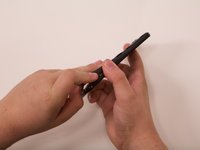
Remove the SIM card from the right side of the device using a pair of tweezers.
-
-
-
-
-
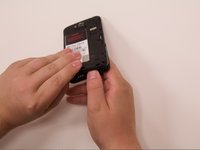
Remove the seven 2mm Phillips #00 screws from the midframe of the device.
-
-
-
-
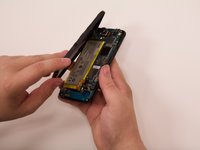
Use an opening tool or fingers to separate the midframe covering the rest of the device starting at the top corner.
-
-
-
-
Tool used on this step:Tweezers$4.99
-
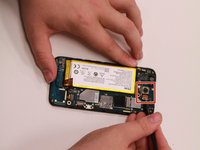
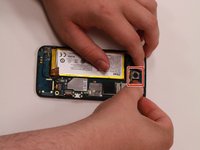
Use a pair of tweezers to carefully detach the ribbon cable connecting the camera to the motherboard.
-
Using the tweezers or your fingers, firmly pull up to remove the camera from the phone.
-
-
-
-
-
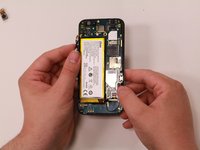
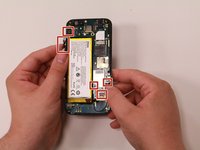
Detach the clips and cables and carefully and pull the glue pieces off the sides.
-
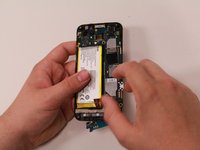
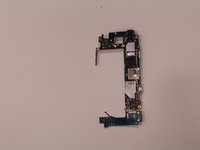
Remove the motherboard with your fingers.
-
-
-
-
Tool used on this step:Tweezers$4.99
-
Disconnect the earpiece from the screen with tweezers or a spudger.
-
-


 Ask FixBot








To reassemble your device, follow these instructions in reverse order.
Cancel: I did not complete this guide.
One other person completed this guide.

Team

Grand Valley State University, Team S1-G4, DeVasto Fall 2019 Member of Grand Valley State University, Team S1-G4, DeVasto Fall 2019
GVSU-DEVASTO-F19S1G4
4 Members
60 Guides authored
