Introduction
This guide will require some disassembly of the phone as the ribbon cable connector for the fingerprint sensor is under the metal piece that encloses the motherboard.
What you need
-
-
-
Turn the device on it side with the buttons away from you.
-
Using the SIM Card Eject Tool, insert the narrow end into the ejection hole.
-
Press firmly into the hole until the SIM card tray pops out far enough to grab with your fingers.
 Ask FixBot
-
-
-
-
-
Remove the one T2 screw from the side of the phone near where the SIM card tray was.
-
-
-
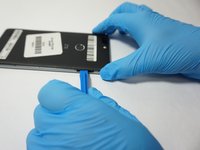
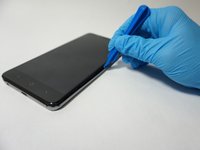
Insert a plastic opening tool into the space where the SIM card tray used to be.
-
Gently pry the back away form the phone frame until you hear and audible click of the back separating.
-
-
-
-
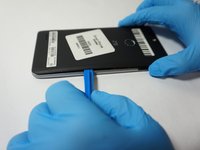
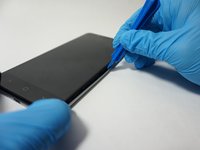
Insert the plastic opening tool into the space you created between the phone back and frame.
-
Slide the plastic opening tool along the outside of the phone, underneath the back, to separate the rest of the clips holding the back onto the frame.
-
-
-
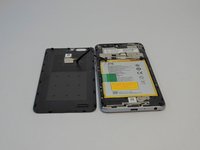
Rotate the back over to the side, being careful not to damage the fingerprint sensor ribbon cable.
-
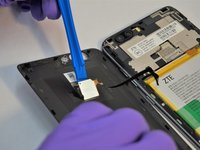
Use a plastic opening tool to separate the fingerprint sensor from the back of the phone.
-
Set the phone back aside.
-
-
-
Remove the 6 silver 2.9mm screws from the back of the phone with a JIS #000 bit.
-
Remove the 11 black 3.5mm screws with the same JIS #000 bit.
-
-
-
Turn the phone over, with the screen up.
-
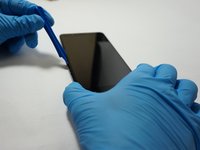
Insert the opening tool between the screen and the silver trim that surrounds it.
-
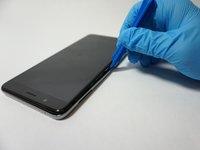
Run the plastic opening tool around the circumference of the phone to separate the clips of that hold the trim to the frame.
-
-
-
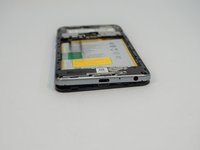
Turn the phone back over, with the screen down.
-
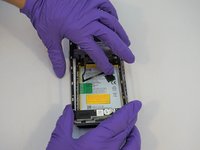
Lift the trim piece off of the phone and set aside.
-
-
-
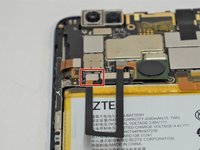
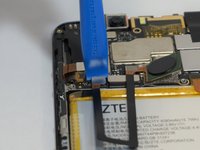
Using a plastic opening tool, separate the fingerprint ribbon connector from the motherboard.
-
-












To reassemble your device, follow these instructions in reverse order.
Cancel: I did not complete this guide.
3 other people completed this guide.

Team

The Citadel Military College of South Carolina, Team S3-G7, Eggleston Fall 2018 Member of The Citadel Military College of South Carolina, Team S3-G7, Eggleston Fall 2018
CMCSC-EGGLESTON-F18S3G7
4 Members
72 Guides authored
