Free Shipping on Domestic Orders $75+

ZTE Blade E Motherboard Replacement

What you need

  1. ZTE Blade E Motherboard Replacement, Motherboard: step 1, image 1 of 1
    • Using a spudger, remove the back panel of the phone.

    Ask FixBot

    Add Comment

  2. ZTE Blade E Motherboard Replacement: step 2, image 1 of 2 ZTE Blade E Motherboard Replacement: step 2, image 2 of 2
    • Remove the battery and SD card from the phone.

    Ask FixBot

    Add Comment

  3. ZTE Blade E Motherboard Replacement: step 3, image 1 of 1
    • Remove the five 4mm Philips #00 screws, circled in red, holding the the back down.

    Ask FixBot

    Add Comment

  4. ZTE Blade E Motherboard Replacement: step 4, image 1 of 1
    • Remove the back piece, exposing the motherboard.

    Ask FixBot

    Add Comment

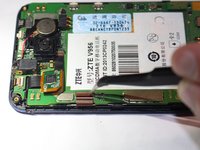
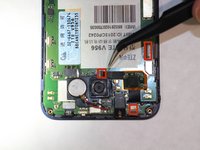
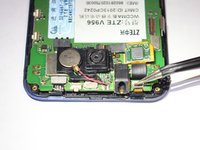
  5. ZTE Blade E Motherboard Replacement: step 5, image 1 of 3 ZTE Blade E Motherboard Replacement: step 5, image 2 of 3 ZTE Blade E Motherboard Replacement: step 5, image 3 of 3
    • Flip up the three small tan clips holding the ribbons in place.

    Ask FixBot

    Add Comment

  6. ZTE Blade E Motherboard Replacement: step 6, image 1 of 1
    • Gently slide each of the three ribbons out of the motherboard.

    Ask FixBot

    Add Comment

  7. ZTE Blade E Motherboard Replacement: step 7, image 1 of 1
    • Slide the motherboard off of the ribbons detaching it from the front of the phone.

    Ask FixBot

    Add Comment

Conclusion

To reassemble your device, follow these instructions in reverse order.

Cancel: I did not complete this guide.

9 other people completed this guide.

Lilia Johnson

Member since: 10/08/14

802 Reputation

2 Guides authored

Team

USF Tampa, Team 9-5, Leahy Fall 2014 Member of USF Tampa, Team 9-5, Leahy Fall 2014

USFT-LEAHY-F14S9G5

3 Members

10 Guides authored

1 Guide Comment

Zte blade a506 insert sim card problem

Ali Jaffar - Reply Share

Add Comment

View Statistics:

Past 24 Hours: 0

Past 7 Days: 8

Past 30 Days: 31

All Time: 4,542