Free Shipping on Domestic Orders $75+

ZTE Awe Motherboard Replacement

What you need

  1. ZTE Awe Motherboard Replacement, Remove the back cover: step 1, image 1 of 1
    • Remove the back cover of the phone to expose the phone's mid-frame.

    Ask FixBot

    Add Comment

  2. ZTE Awe Motherboard Replacement, Remove battery: step 2, image 1 of 1
    • Pry the battery up and out of the phone.

    Ask FixBot

    Add Comment

  3. ZTE Awe Motherboard Replacement, Detach the mid frame: step 3, image 1 of 1
    • Use the Phillips Head 00 screw driver to unscrew the seven 0.1mm screws from the phone's mid frame.

    Ask FixBot

    Add Comment

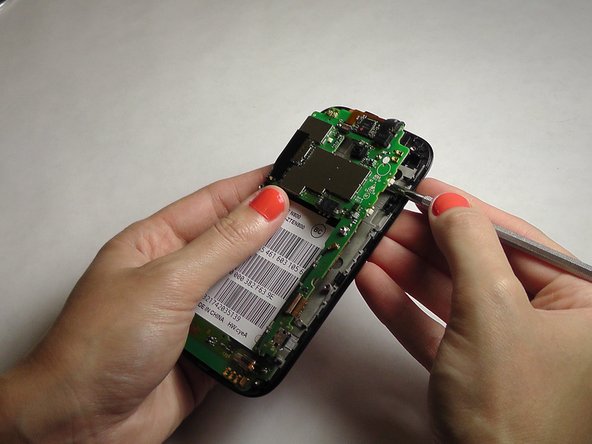
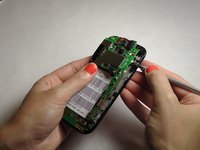
  4. ZTE Awe Motherboard Replacement, Separate the mid frame and the digitizer: step 4, image 1 of 3 ZTE Awe Motherboard Replacement, Separate the mid frame and the digitizer: step 4, image 2 of 3 ZTE Awe Motherboard Replacement, Separate the mid frame and the digitizer: step 4, image 3 of 3
    • Wedge the flat end of the spudger between the mid frame and the digitizer.

    Ask FixBot

    Add Comment

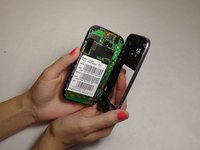
  5. ZTE Awe Motherboard Replacement, Expose the motherboard: step 5, image 1 of 2 ZTE Awe Motherboard Replacement, Expose the motherboard: step 5, image 2 of 2
    • Gently pry the mid frame away from the rest of the phone to expose the motherboard.

    Ask FixBot

    Add Comment

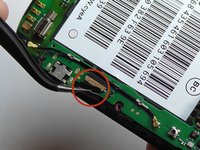
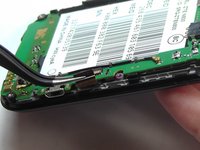
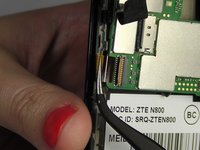
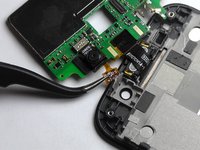
  6. ZTE Awe Motherboard Replacement, Remove the ribbon wires: step 6, image 1 of 3 ZTE Awe Motherboard Replacement, Remove the ribbon wires: step 6, image 2 of 3 ZTE Awe Motherboard Replacement, Remove the ribbon wires: step 6, image 3 of 3
    Tool used on this step:
    Tweezers
    $4.99
    Buy
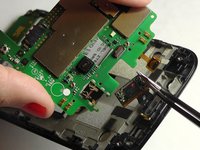
    • Use the tweezers to remove the four ribbon wires on the sides of the device.

    Ask FixBot

    Add Comment

  7. ZTE Awe Motherboard Replacement, Orient the motherboard: step 7, image 1 of 1
    • Orient the motherboard to expose the mid frame.

    Ask FixBot

    Add Comment

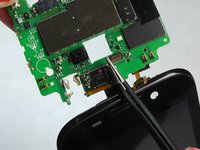
  8. ZTE Awe Motherboard Replacement, Remove the connector: step 8, image 1 of 3 ZTE Awe Motherboard Replacement, Remove the connector: step 8, image 2 of 3 ZTE Awe Motherboard Replacement, Remove the connector: step 8, image 3 of 3
    • Remove the connector to free the motherboard from the screen.

    Ask FixBot

    Add Comment

Conclusion

To reassemble your device, follow these instructions in reverse order.

Cancel: I did not complete this guide.

5 other people completed this guide.

Jennifer DeMeo

Member since: 10/07/14

1,035 Reputation

5 Guides authored

Team

USF Tampa, Team 1-2, Leahy Fall 2014 Member of USF Tampa, Team 1-2, Leahy Fall 2014

USFT-LEAHY-F14S1G2

4 Members

10 Guides authored

0 Guide Comments

Add Comment

View Statistics:

Past 24 Hours: 2

Past 7 Days: 8

Past 30 Days: 31

All Time: 2,201