Free Shipping on Domestic Orders $75+

Yuneec Breeze 4K Motherboard Replacement

What you need

    1. Yuneec Breeze 4K Motherboard Replacement, Motherboard M7: step 1, image 1 of 2 Yuneec Breeze 4K Motherboard Replacement, Motherboard M7: step 1, image 2 of 2
      • Before you begin start by putting on a ESD wrist strap to prevent ESD damage and remove the battery.

      • Flip over the drone so that the propellers are facing down and the camera is facing up.

      Ask FixBot

      Add Comment

    2. Yuneec Breeze 4K Motherboard Replacement: step 2, image 1 of 3 Yuneec Breeze 4K Motherboard Replacement: step 2, image 2 of 3 Yuneec Breeze 4K Motherboard Replacement: step 2, image 3 of 3
      • Grip the cover that covers the rest of the wires, and give it a slight pull to remove it.

      Ask FixBot

      Add Comment

    3. Yuneec Breeze 4K Motherboard Replacement: step 3, image 1 of 1
      • Remove the 4 rubber plugs that hold the drone and its internal parts together.

      • These plugs can be located in each corner of the drone, and are white.

      Ask FixBot

      Add Comment

    4. Yuneec Breeze 4K Motherboard Replacement: step 4, image 1 of 1
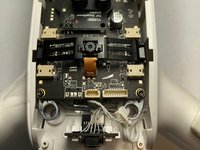
      • Unplug the four cables that are connected on the top face of the frame.

      Ask FixBot

      Add Comment

    5. Yuneec Breeze 4K Motherboard Replacement: step 5, image 1 of 2 Yuneec Breeze 4K Motherboard Replacement: step 5, image 2 of 2
      Tool used on this step:
      Tweezers
      $4.99
      Buy
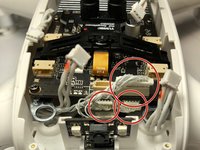
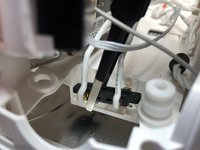
      • The rest of the wires that are still connected can be unplugged.

      • Using a pair of tweezers they can be unplugged.

      Ask FixBot

      Add Comment

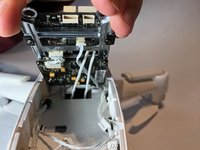
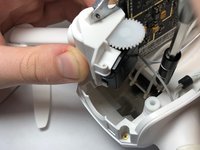
    6. Yuneec Breeze 4K Motherboard Replacement: step 6, image 1 of 3 Yuneec Breeze 4K Motherboard Replacement: step 6, image 2 of 3 Yuneec Breeze 4K Motherboard Replacement: step 6, image 3 of 3
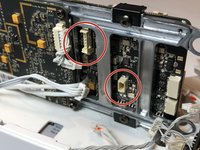
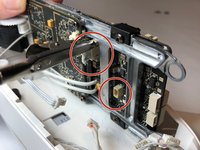
      • Lift up or tilt entire frame and mother board and unplug all the wires.

      Ask FixBot

      Add Comment

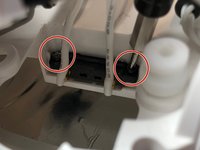
    7. Yuneec Breeze 4K Motherboard Replacement: step 7, image 1 of 3 Yuneec Breeze 4K Motherboard Replacement: step 7, image 2 of 3 Yuneec Breeze 4K Motherboard Replacement: step 7, image 3 of 3
      • The battery connector has two wires connected to a plug in with two little screws.

      • Unscrew the two screws and pull it apart using a small tweezers.

      Ask FixBot

      Add Comment

    8. Yuneec Breeze 4K Motherboard Replacement: step 8, image 1 of 1
      • Flip over the frame and mother board and unscrew the mother board.

      • There are four screws on each corner of the mother board.

      Ask FixBot

      Add Comment

    9. Yuneec Breeze 4K Motherboard Replacement: step 9, image 1 of 2 Yuneec Breeze 4K Motherboard Replacement: step 9, image 2 of 2
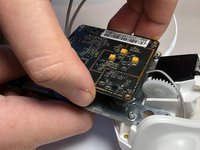
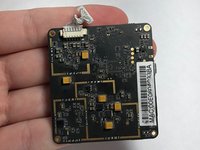
      • After the screws are out, the motherboard can be pulled out softly with hands.

      • Remove the motherboard from the device.

      Ask FixBot

      Add Comment

Conclusion

To reassemble your device, follow these instructions in reverse order.

Cancel: I did not complete this guide.

5 other people completed this guide.

Ryanne Millis

Member since: 10/04/18

318 Reputation

1 Guide authored

Team

UW Stout, Team S6-G5, Ogden Fall 2018 Member of UW Stout, Team S6-G5, Ogden Fall 2018

UWSTOUT-OGDEN-F18S6G5

4 Members

4 Guides authored

1 Guide Comment

Excellent step by step instructions.

paul_courville - Reply Share

Add Comment

View Statistics:

Past 24 Hours: 0

Past 7 Days: 5

Past 30 Days: 36

All Time: 2,586