Free Shipping on Domestic Orders $75+

Xserve G5 CD Drive Replacement

What you need

    1. Xserve G5 CD Drive Replacement, CD/DVD drive: step 1, image 1 of 1
      • Here's my dead Xserve G5. I need a new power supply for it. So he will serve for the demo.

      Ask FixBot

      Add Comment

    2. Xserve G5 CD Drive Replacement: step 2, image 1 of 1
      • Unscrew the two screws.

      Ask FixBot

      Add Comment

    3. Xserve G5 CD Drive Replacement: step 3, image 1 of 1
      • Remove the top of the server. You will have something like this.

      Ask FixBot

      Add Comment

    4. Xserve G5 CD Drive Replacement: step 4, image 1 of 1
      • Hello little CD drive ! It's retirement time !

      Ask FixBot

      Add Comment

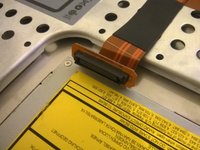
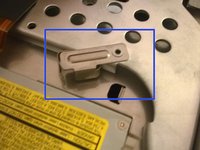
    5. Xserve G5 CD Drive Replacement: step 5, image 1 of 2 Xserve G5 CD Drive Replacement: step 5, image 2 of 2
      • Disconnect the cable.

      • Push the little metal thing to the left to unsecure the CD drive.

      Ask FixBot

      Add Comment

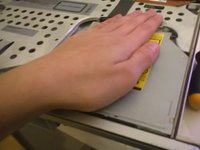
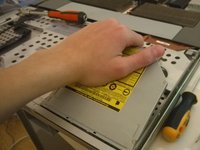
    6. Xserve G5 CD Drive Replacement: step 6, image 1 of 3 Xserve G5 CD Drive Replacement: step 6, image 2 of 3 Xserve G5 CD Drive Replacement: step 6, image 3 of 3
      • Push the drive

      • Pull the drive.

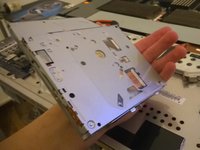
      • And finally, take the drive !

      Ask FixBot

      Add Comment

Conclusion

To reassemble your device, follow these instructions in reverse order.

Cancel: I did not complete this guide.

7 other people completed this guide.

alphaLONE

Member since: 07/01/11

1,043 Reputation

3 Guides authored

2 Guide Comments

Great explanation!

subscriber - Reply Share

Thanks for the input! I sadly don't have the blade anymore and can't make other, more detailed guides about other components, but I'm still impressed people liked this one.

alphaLONE - Reply Share

Add Comment

View Statistics:

Past 24 Hours: 0

Past 7 Days: 3

Past 30 Days: 35

All Time: 5,071