Free Shipping on Domestic Orders $75+

Xiaomi Yi Motherboard Replacement

What you need

    1. Xiaomi Yi Motherboard Replacement, Battery: step 1, image 1 of 2 Xiaomi Yi Motherboard Replacement, Battery: step 1, image 2 of 2
      • Push the battery door switch to the left.

      • Lift the battery door up.

      Ask FixBot

      Add Comment

    2. Xiaomi Yi Motherboard Replacement: step 2, image 1 of 3 Xiaomi Yi Motherboard Replacement: step 2, image 2 of 3 Xiaomi Yi Motherboard Replacement: step 2, image 3 of 3
      • Lift the battery tab up.

      • Remove the battery by pulling the removal tab.

      Ask FixBot
      Add Comment

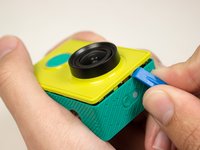
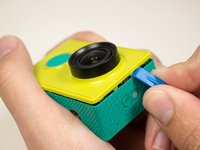
    1. Xiaomi Yi Motherboard Replacement, Front Panel: step 3, image 1 of 2 Xiaomi Yi Motherboard Replacement, Front Panel: step 3, image 2 of 2
      • Introduce the plastic opening tool into any of the sides of the camera.

      • Pry with the plastic opening tool at the seam between the front and the back panel.

      Ask FixBot
      Add Comment

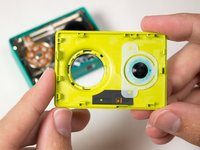
    2. Xiaomi Yi Motherboard Replacement: step 4, image 1 of 3 Xiaomi Yi Motherboard Replacement: step 4, image 2 of 3 Xiaomi Yi Motherboard Replacement: step 4, image 3 of 3
      • Slide prying tool along the seam until front panel is fully separated from the back panel.

      Ask FixBot

      Add Comment

    1. Xiaomi Yi Motherboard Replacement, Back Panel: step 5, image 1 of 2 Xiaomi Yi Motherboard Replacement, Back Panel: step 5, image 2 of 2
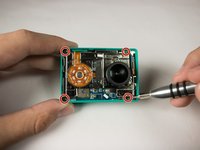
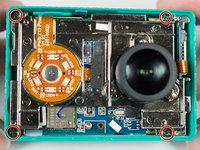
      • Remove the four 3.8 mm Phillips #000 screws located in the outer corners of the motherboard.

      Ask FixBot
      Add Comment

    2. Xiaomi Yi Motherboard Replacement: step 6, image 1 of 3 Xiaomi Yi Motherboard Replacement: step 6, image 2 of 3 Xiaomi Yi Motherboard Replacement: step 6, image 3 of 3
      Tool used on this step:
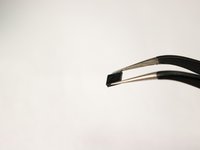
      Tweezers
      $4.99
      Buy
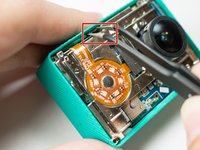
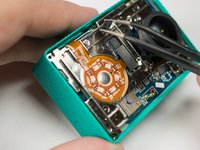
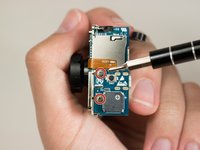
      • Pull on and remove the black spacer located at the top inside of the camera body using the tweezers and set the part aside.

      Ask FixBot
      Add Comment

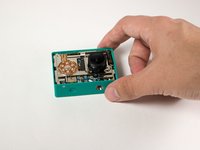
    3. Xiaomi Yi Motherboard Replacement: step 7, image 1 of 2 Xiaomi Yi Motherboard Replacement: step 7, image 2 of 2
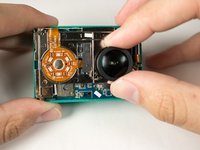
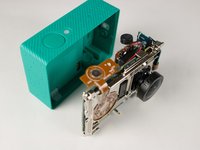
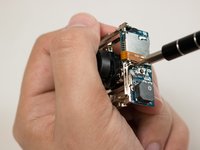
      • Remove the motherboard from from the back case by gently pulling on the lens housing.

      • Back panel remains.

      Ask FixBot
      Add Comment

    1. Xiaomi Yi Motherboard Replacement, Motherboard: step 8, image 1 of 2 Xiaomi Yi Motherboard Replacement, Motherboard: step 8, image 2 of 2
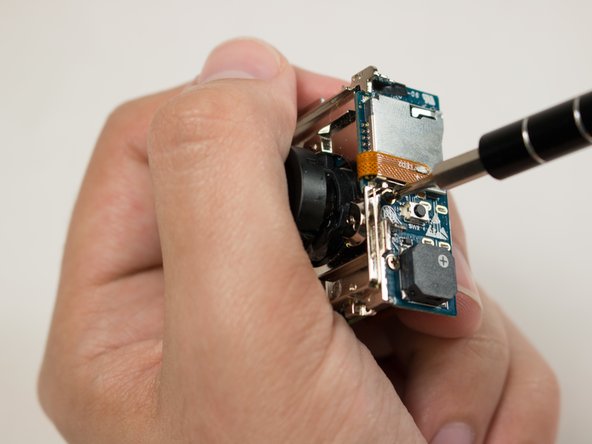
      • Remove the two 3.1 mm Phillips #000 screws securing the motherboard to the chassis.

      • Be sure to support the motherboard, the ribbon cable connection can easily be damaged.

      Ask FixBot

      Add Comment

    2. Xiaomi Yi Motherboard Replacement: step 9, image 1 of 3 Xiaomi Yi Motherboard Replacement: step 9, image 2 of 3 Xiaomi Yi Motherboard Replacement: step 9, image 3 of 3
      Tool used on this step:
      Tweezers
      $4.99
      Buy
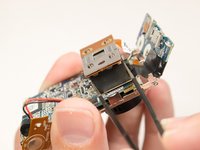
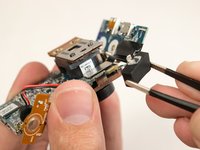
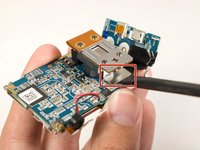
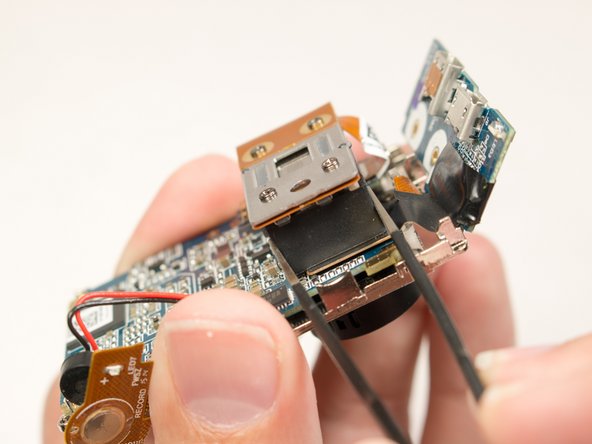
      • Locate the rubber spacer between the image sensor and the ribbon connection for the motherboard.

      • Using the tweezers gently remove the spacer block and set aside.

      Ask FixBot
      Add Comment

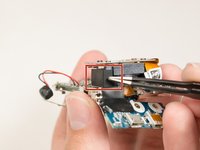
    3. Xiaomi Yi Motherboard Replacement: step 10, image 1 of 2 Xiaomi Yi Motherboard Replacement: step 10, image 2 of 2
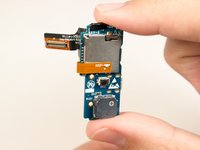
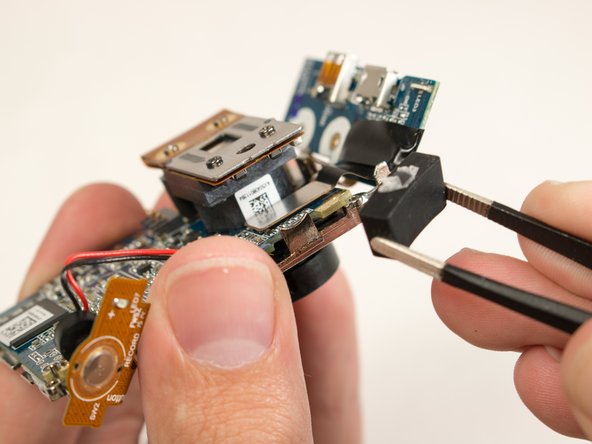
      • Pry gently using the flat end of the black spudger to remove the ribbon connector.

      • Lift the lens assembly up and away from the motherboard.

      • Motherboard remains.

      Ask FixBot
      Add Comment
Conclusion

To reassemble your device, follow these instructions in reverse order.

Cancel: I did not complete this guide.

11 other people completed this guide.

William Zipperer

Member since: 09/03/15

711 Reputation

3 Guides authored

Team

USF Tampa, Team 15-5, Blackwell Fall 2015 Member of USF Tampa, Team 15-5, Blackwell Fall 2015

USFT-BLACKWELL-F15S15G5

3 Members

30 Guides authored

8 Guide Comments

Where you buy motherboard for xiaomi yi ?

diamond1981 - Reply Share

I wonder where I can buy this part ribbon connector to buy.

viilelaa - Reply Share

Link for buying it waaaaaaaay cheaper:http://bit.ly/XiaoMiYi1080P

tozilen - Reply Share

Great guide but useless, there is no spare parts on the market for this camera

Nebojsa Rosic - Reply Share

IC repair is always possible

AdamA - Reply Share

Add Comment

View Statistics:

Past 24 Hours: 0

Past 7 Days: 6

Past 30 Days: 34

All Time: 13,518