Introduction
This guide will show how to remove and replace the front facing camera on the Xiaomi Mi A2 Smartphone. Make sure during this replacement that you are being very precise while following each step exactly because if you miss a step, it will be hard for you to catch back up with your progress.
What you need
-
-
-
Turn off your phone before proceeding.
-
Remove SIM card tray from phone.
 Ask FixBot
-
-
-
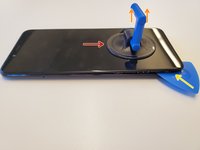
Grab a suction cup tool and place it near the bottom of the phone.
-
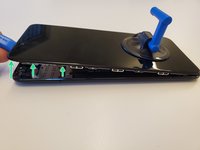
Pull up on the suction cup to slightly lift the LCD Panel from the body of the phone.
-
Starting from the bottom, slide in a plastic opening tool between the gap of the LCD and the phone.
-
Using a combination of the plastic opening tool and picks, slide around the gaps to unhook the clips, unhinging the panel from the body of the phone.
-
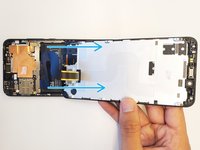
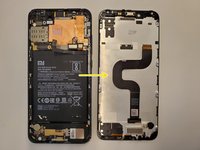
Flip the phone screen towards the bottom of the device and lay the screen facing down.
-
-
-
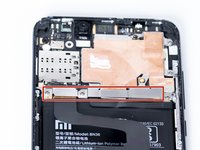
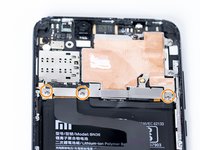
To access the ribbon cable connectors we must remove the metal bracket.
-
Remove the three 2.4mm Philips #0 screws that hold the panel down.
-
-
-
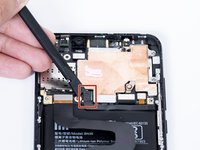
Using a plastic spudger remove the battery connector ribbon cable by getting underneath the connector and gently lifting it off.
-
Using a plastic sudger remove the screen connector ribbon cable by lifting from the underneath.
-
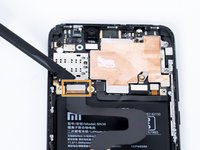
After you remove the ribbon cable the panel should be free to remove and replace.
-
-
-
-
-
-
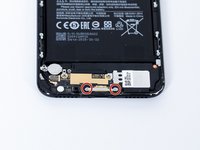
Remove the two 3.8mm Phillips #0 screws holding down the lower metal bracket.
-
-
-
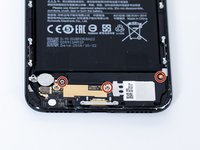
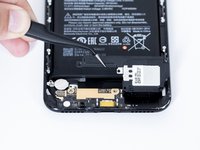
Remove the loud speaker. There are three 2.4mm Phillips #0 screws you need to remove, and one (upper right) is underneath the Xiaomi water sticker.
-
-
-
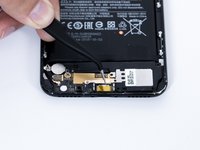
Unplug the antenna wire with a spudger tool.
-
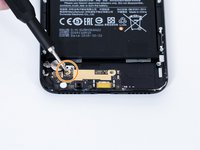
Remove another 2.4mm Phillips #0 screw near vibration motor.
-
-
-
-
Tool used on this step:Tweezers$4.99
-
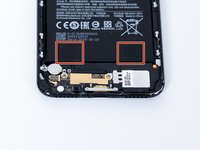
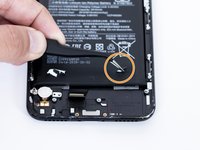
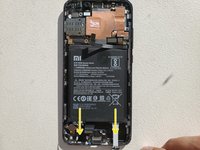
On the bottom of the battery are two pull tabs. They are glued on to the battery similarly like a sticker.
-
To remove the battery pull these pull tabs downwards. WARNING: proceed with extreme caution, avoid bending or puncturing the battery.
-
You can use tweezers to lift the pull tabs from the battery. Pull downwards and the adhesive will slowly be removed from the battery.
-
-
-
-
-
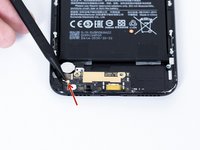
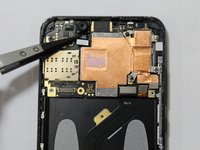
Using a plastic spudger, gently separate the front camera ribbon cable from the motherboard.
-
-
Tool used on this step:Tweezers$4.99
-
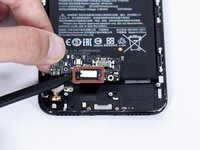
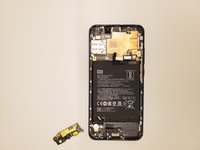
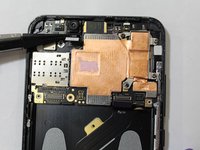
Gently use the plastic tip tweezers to remove the front camera from the back housing of the phone.
-
-


















To reassemble your device, follow these instructions in reverse order.
Cancel: I did not complete this guide.
2 other people completed this guide.

Team

The Citadel Military College of South Carolina, Team S2-G8, Eggleston Spring 2020 Member of The Citadel Military College of South Carolina, Team S2-G8, Eggleston Spring 2020
CMCSC-EGGLESTON-S20S2G8
3 Members
48 Guides authored
