Free Shipping on Domestic Orders $75+

Xiaomi Air 12 Motherboard Replacement

What you need

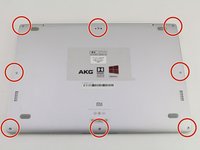
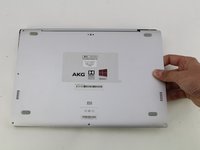
  1. Xiaomi Air 12 Motherboard Replacement, Rear Casing: step 1, image 1 of 1
    • Orient the computer so the Xiaomi logo is at the bottom of the device.

    Ask FixBot

    Add Comment

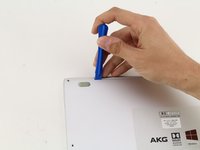
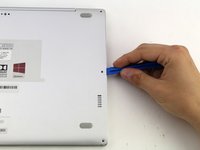
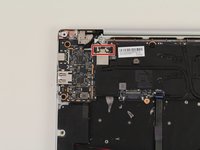
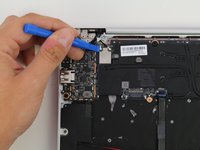
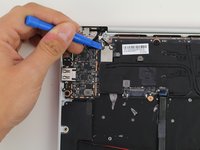
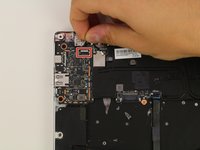
  2. Xiaomi Air 12 Motherboard Replacement: step 2, image 1 of 3 Xiaomi Air 12 Motherboard Replacement: step 2, image 2 of 3 Xiaomi Air 12 Motherboard Replacement: step 2, image 3 of 3
    • Insert the plastic opening tool underneath the top-middle rubber covering and lift upwards to reveal the hidden screw.

    Ask FixBot

    Add Comment

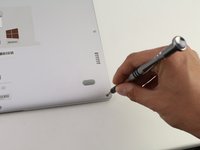
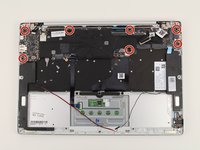
  3. Xiaomi Air 12 Motherboard Replacement: step 3, image 1 of 2 Xiaomi Air 12 Motherboard Replacement: step 3, image 2 of 2
    • Remove the eight 3 mm screws using the Torx T5 driver by inserting the screwdriver into each screw and rotating counterclockwise.

    Ask FixBot

    Add Comment

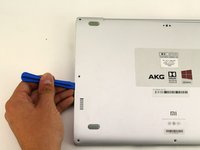
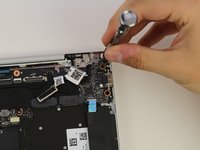
  4. Xiaomi Air 12 Motherboard Replacement: step 4, image 1 of 3 Xiaomi Air 12 Motherboard Replacement: step 4, image 2 of 3 Xiaomi Air 12 Motherboard Replacement: step 4, image 3 of 3
    • Insert the plastic opening tool into each side of the computer and push the tool downwards to pop open the back cover.

    • You will hear popping noises as you remove the cover.

    Ask FixBot

    Add Comment

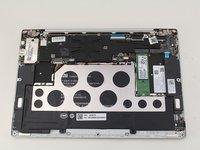
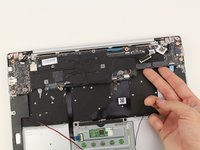
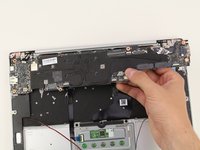
  5. Xiaomi Air 12 Motherboard Replacement: step 5, image 1 of 2 Xiaomi Air 12 Motherboard Replacement: step 5, image 2 of 2
    • Remove the back of the laptop by gently lifting the casing upwards.

    Ask FixBot

    Add Comment

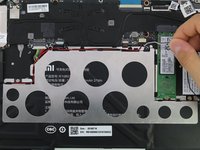
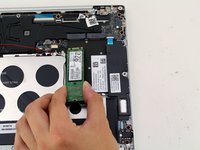
  6. Xiaomi Air 12 Motherboard Replacement, SSD: step 6, image 1 of 2 Xiaomi Air 12 Motherboard Replacement, SSD: step 6, image 2 of 2
    • Detach the white and black speaker wires by pulling them from the small black tabs along the perimeter of the metal bracket.

    Ask FixBot

    Add Comment

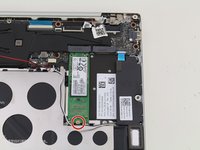
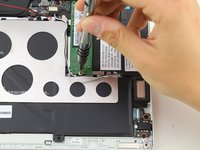
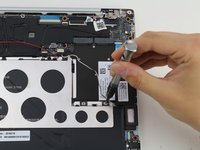
  7. Xiaomi Air 12 Motherboard Replacement: step 7, image 1 of 2 Xiaomi Air 12 Motherboard Replacement: step 7, image 2 of 2
    • Remove the 1.5mm screw using the JIS #00 screwdriver.

    Ask FixBot

    Add Comment

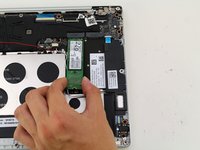
  8. Xiaomi Air 12 Motherboard Replacement: step 8, image 1 of 2 Xiaomi Air 12 Motherboard Replacement: step 8, image 2 of 2
    • Lift the SSD up from the device and gently pull the SSD from the laptop.

    Ask FixBot

    Add Comment

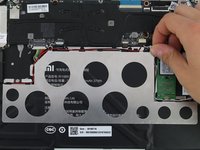
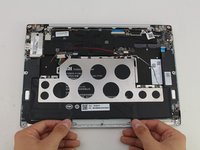
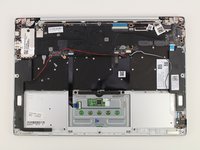
  9. Xiaomi Air 12 Motherboard Replacement, Battery: step 9, image 1 of 1
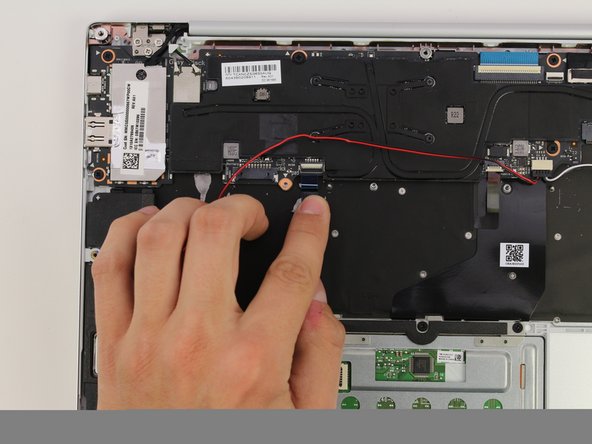
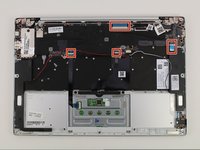
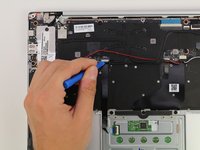
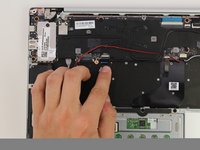
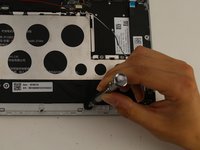
    • Detach the red wire from the tabs on the perimeter of the metal bracket.

    Ask FixBot

    Add Comment

  10. Xiaomi Air 12 Motherboard Replacement: step 10, image 1 of 3 Xiaomi Air 12 Motherboard Replacement: step 10, image 2 of 3 Xiaomi Air 12 Motherboard Replacement: step 10, image 3 of 3
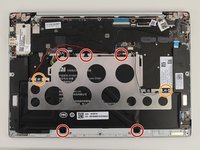
    • Use a PH1 screwdriver to remove the five 2mm black screws.

    • Remove two silver 1mm JIS #00 screws.

    • There will be clear plastic spacers that come off with the silver screws.

    Ask FixBot

    Add Comment

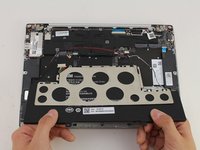
  11. Xiaomi Air 12 Motherboard Replacement: step 11, image 1 of 3 Xiaomi Air 12 Motherboard Replacement: step 11, image 2 of 3 Xiaomi Air 12 Motherboard Replacement: step 11, image 3 of 3
    • Lift the battery up and pull out from the device.

    • The metal bracket will come out with the battery.

    Ask FixBot

    Add Comment

  12. Xiaomi Air 12 Motherboard Replacement, Motherboard: step 12, image 1 of 2 Xiaomi Air 12 Motherboard Replacement, Motherboard: step 12, image 2 of 2
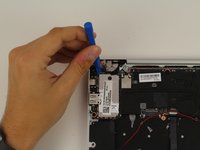
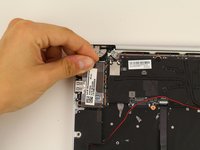
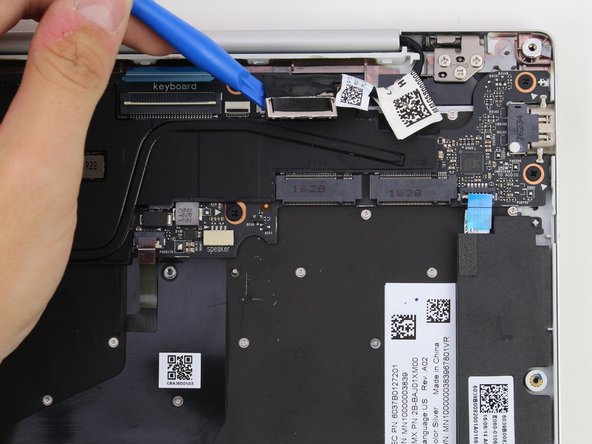
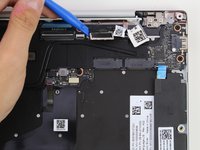
    • Lift the silver connection cover next to the USB ports using the plastic opening tool and your hands.

    Ask FixBot

    Add Comment

  13. Xiaomi Air 12 Motherboard Replacement: step 13, image 1 of 3 Xiaomi Air 12 Motherboard Replacement: step 13, image 2 of 3 Xiaomi Air 12 Motherboard Replacement: step 13, image 3 of 3
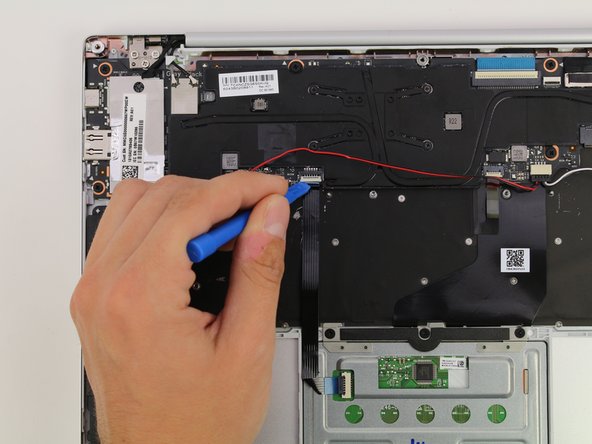
    • Remove the four ribbon cables by lifting the connector up with the plastic opening tool and pulling the ribbon cable out.

    Ask FixBot

    Add Comment

  14. Xiaomi Air 12 Motherboard Replacement: step 14, image 1 of 3 Xiaomi Air 12 Motherboard Replacement: step 14, image 2 of 3 Xiaomi Air 12 Motherboard Replacement: step 14, image 3 of 3
    • Disconnect the gray and black wire connectors using the plastic opening tool to lift them up.

    Ask FixBot

    Add Comment

  15. Xiaomi Air 12 Motherboard Replacement: step 15, image 1 of 2 Xiaomi Air 12 Motherboard Replacement: step 15, image 2 of 2
    • Remove the webcam connector by gently pulling the cable out by hand.

    Ask FixBot

    Add Comment

  16. Xiaomi Air 12 Motherboard Replacement: step 16, image 1 of 2 Xiaomi Air 12 Motherboard Replacement: step 16, image 2 of 2
    • Lift the video cable on the connector using the plastic opening tool to disconnect it.

    Ask FixBot

    Add Comment

  17. Xiaomi Air 12 Motherboard Replacement: step 17, image 1 of 2 Xiaomi Air 12 Motherboard Replacement: step 17, image 2 of 2
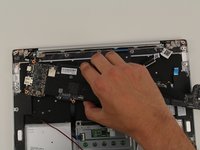
    • Remove the seven black 2mm screws using a PH1 screwdriver.

    Ask FixBot

    Add Comment

  18. Xiaomi Air 12 Motherboard Replacement: step 18, image 1 of 3 Xiaomi Air 12 Motherboard Replacement: step 18, image 2 of 3 Xiaomi Air 12 Motherboard Replacement: step 18, image 3 of 3
    • Gently lift the motherboard out by hand.

    Ask FixBot

    Add Comment

Conclusion

To reassemble your device, follow these instructions in reverse order.

Cancel: I did not complete this guide.

5 other people completed this guide.

Hannah Kwan

Member since: 04/18/18

928 Reputation

5 Guides authored

Team

Cal Poly, Team S18-G4, Livingston Spring 2018 Member of Cal Poly, Team S18-G4, Livingston Spring 2018

CPSU-LIVINGSTON-S18S18G4

4 Members

34 Guides authored

11 Guide Comments

Where do you order a replacement?

I couldn’t find any parts for my Xiaomi air 12.

Jon Jag - Reply Share
di you get it?

zelenmix - Reply Share
Same here. Where to get motherboard to xiaomi mi 12?

imthespace - Reply Share

Did yoiu get it?

zelenmix - Reply Share

... I would like to replace but I can't find a motherboard anywhere ... can anyone help me, where to buy the board for best price?

Aljoša Jelen - Reply Share

Add Comment

View Statistics:

Past 24 Hours: 7

Past 7 Days: 27

Past 30 Days: 99

All Time: 7,102