Free Shipping on Domestic Orders $75+

Xi-Electronics 7 inch Tablet DC Jack Replacement

What you need

  1. Xi-Electronics 7 inch Tablet DC Jack Replacement, dc jack recharger connector: step 1, image 1 of 2 Xi-Electronics 7 inch Tablet DC Jack Replacement, dc jack recharger connector: step 1, image 2 of 2
    • to open the device , You use a isesamo opener .

    • Just pry the device open but be gently and cautious

    • at the second picture you see how the inside looks like.

    Ask FixBot

    Add Comment

  2. Xi-Electronics 7 inch Tablet DC Jack Replacement: step 2, image 1 of 2 Xi-Electronics 7 inch Tablet DC Jack Replacement: step 2, image 2 of 2
    • now gently remove the first connector circkled in red

    • use a toothpick dental tool to open it. or use a small flathead screwdriver or something similar.

    Ask FixBot

    Add Comment

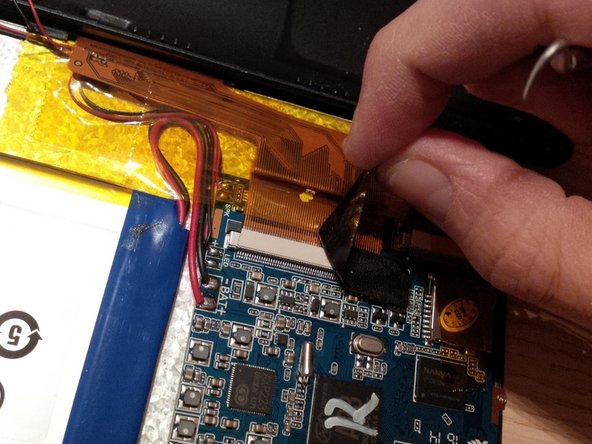
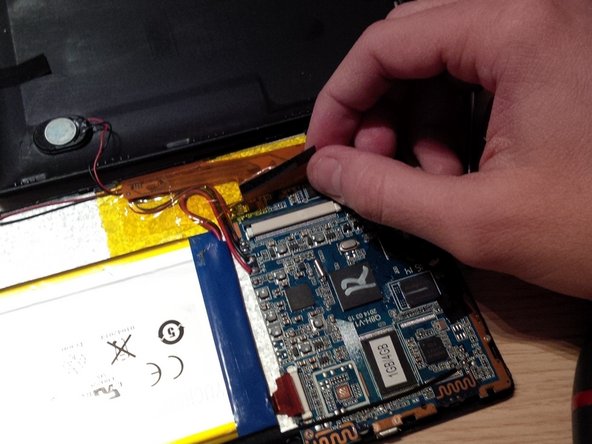
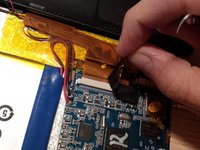
  3. Xi-Electronics 7 inch Tablet DC Jack Replacement: step 3, image 1 of 3 Xi-Electronics 7 inch Tablet DC Jack Replacement: step 3, image 2 of 3 Xi-Electronics 7 inch Tablet DC Jack Replacement: step 3, image 3 of 3
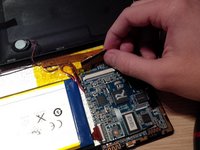
    • remove the second connector.

    • first remove the orange tape by peeling it of.

    • then remove the black thick tape on the connecotr

    Ask FixBot

    Add Comment

  4. Xi-Electronics 7 inch Tablet DC Jack Replacement: step 4, image 1 of 1
    • remove the third connecor , it is next to the connecotr in step 3.

    Ask FixBot

    Add Comment

  5. Xi-Electronics 7 inch Tablet DC Jack Replacement: step 5, image 1 of 1
    • remove the screws of the main board.

    Ask FixBot

    Add Comment

  6. Xi-Electronics 7 inch Tablet DC Jack Replacement: step 6, image 1 of 2 Xi-Electronics 7 inch Tablet DC Jack Replacement: step 6, image 2 of 2
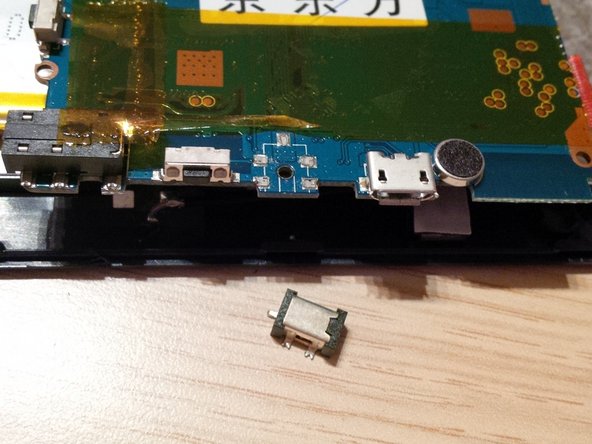
    • after removing the mainboard , you'll see the missing dc jack.

    • we will solder the dc jack on the main board.

    • before you do this, search the internet on how you have to solder !! and use the right tools, dont buy the cheapest tools.

    Ask FixBot

    Add Comment

  7. Xi-Electronics 7 inch Tablet DC Jack Replacement: step 7, image 1 of 1
    • i didn't put pictures or movie on how to solder in this guide, but you will find lots of info on the internet. in the last picture you'll see the new dc jack.

    Ask FixBot

    Add Comment

Conclusion

To reassemble your device, follow these instructions in reverse order.

Cancel: I did not complete this guide.

6 other people completed this guide.

Kevin D

Member since: 05/02/14

7,550 Reputation

21 Guides authored

0 Guide Comments

Add Comment

View Statistics:

Past 24 Hours: 1

Past 7 Days: 5

Past 30 Days: 42

All Time: 2,692