Introduction
This guide provides instructions on how to replace the front-facing camera on a Xelio P900A-BK.
What you need
-
-
Insert a plastic opening tool between the screen and the rear case and carefully pry the tablet open.
-
Gently work your way around the entire tablet and do not force the case open prematurely.
-
-
-
-
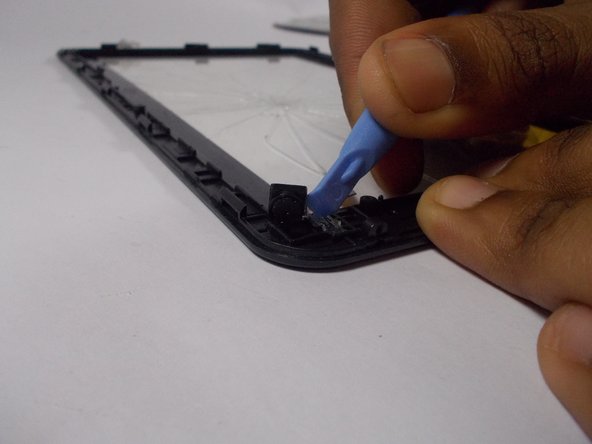
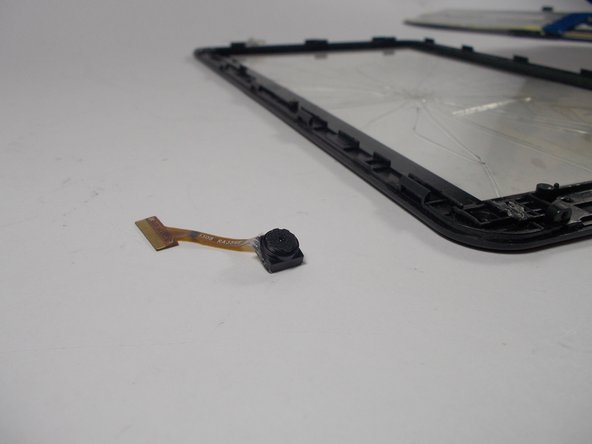
Remove the connection between the camera and the motherboard.
-
Open the black ribbon holder then remove the ribbon from its connection.
-
-
-
Remove the tape covering the front facing camera entirely to expose one of the motherboard screws.
-

 Ask FixBot


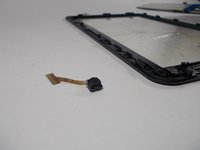
To reassemble your device, follow these instructions in reverse order.
Cancel: I did not complete this guide.
One other person completed this guide.

Team

UMass Dartmouth, Team 7-6, Cichon Spring 2015 Member of UMass Dartmouth, Team 7-6, Cichon Spring 2015
UMASSD-CICHON-S15S7G6
3 Members
8 Guides authored
