Free Shipping on Domestic Orders $75+

Xbox Series X|S Controller (Model 1914) Thumbstick Covers Replacement

What you need

  1. Xbox Series X|S Controller (Model 1914) Thumbstick Covers Replacement, Remove the battery cover: step 1, image 1 of 3 Xbox Series X|S Controller (Model 1914) Thumbstick Covers Replacement, Remove the battery cover: step 1, image 2 of 3 Xbox Series X|S Controller (Model 1914) Thumbstick Covers Replacement, Remove the battery cover: step 1, image 3 of 3
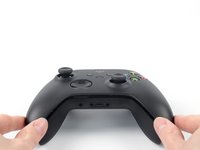
    • Use your fingers to slide up and remove the battery cover.

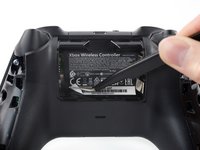
  2. Xbox Series X|S Controller (Model 1914) Thumbstick Covers Replacement, Remove the batteries: step 2, image 1 of 3 Xbox Series X|S Controller (Model 1914) Thumbstick Covers Replacement, Remove the batteries: step 2, image 2 of 3 Xbox Series X|S Controller (Model 1914) Thumbstick Covers Replacement, Remove the batteries: step 2, image 3 of 3
    • Remove the batteries.

    • When re-inserting the batteries, make sure to position them correctly, with their positive (+) and negative (–) ends matching up with the markings on the controller’s battery contacts. If your batteries are starting to corrode, replace them with new batteries.

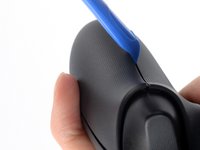
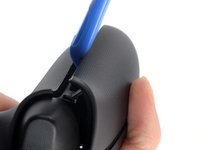
  3. Xbox Series X|S Controller (Model 1914) Thumbstick Covers Replacement, Insert an opening tool: step 3, image 1 of 3 Xbox Series X|S Controller (Model 1914) Thumbstick Covers Replacement, Insert an opening tool: step 3, image 2 of 3 Xbox Series X|S Controller (Model 1914) Thumbstick Covers Replacement, Insert an opening tool: step 3, image 3 of 3
    • Insert an opening tool between the left handle cover and the bottom inner edge of the back housing.

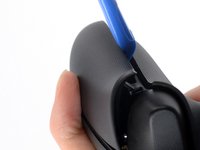
  4. Xbox Series X|S Controller (Model 1914) Thumbstick Covers Replacement, Release the left handle cover clips: step 4, image 1 of 3 Xbox Series X|S Controller (Model 1914) Thumbstick Covers Replacement, Release the left handle cover clips: step 4, image 2 of 3 Xbox Series X|S Controller (Model 1914) Thumbstick Covers Replacement, Release the left handle cover clips: step 4, image 3 of 3
    • Strong plastic clips secure the handle cover. Significant force is required to release them.

    • Slide the opening tool along the inner edge of the left handle cover and pry intermittently to release the plastic clips.

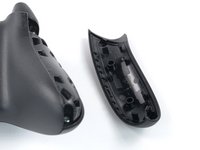
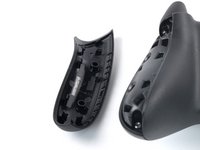
  5. Xbox Series X|S Controller (Model 1914) Thumbstick Covers Replacement, Remove the left handle cover: step 5, image 1 of 3 Xbox Series X|S Controller (Model 1914) Thumbstick Covers Replacement, Remove the left handle cover: step 5, image 2 of 3 Xbox Series X|S Controller (Model 1914) Thumbstick Covers Replacement, Remove the left handle cover: step 5, image 3 of 3
    • The plastic clips on the outer edge make it difficult to slide along it and release the clips. Therefore, prying up on the inner edge is the easier option.

    • Pry up the middle inner edge of the handle cover with the opening tool to release the remaining clips.

    • Place a finger on top of the handle cover to prevent it from being forcefully ejected.

    • Remove the left handle cover.

    • To reinstall the left handle cover, position it on the back housing and press down firmly along the edges to engage all of the clips.

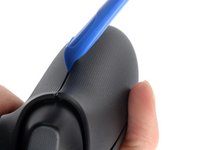
  6. Xbox Series X|S Controller (Model 1914) Thumbstick Covers Replacement, Insert an opening tool: step 6, image 1 of 3 Xbox Series X|S Controller (Model 1914) Thumbstick Covers Replacement, Insert an opening tool: step 6, image 2 of 3 Xbox Series X|S Controller (Model 1914) Thumbstick Covers Replacement, Insert an opening tool: step 6, image 3 of 3
    • Insert an opening tool between the right handle cover and the bottom inner edge of the back housing.

  7. Xbox Series X|S Controller (Model 1914) Thumbstick Covers Replacement, Release the right handle cover clips: step 7, image 1 of 3 Xbox Series X|S Controller (Model 1914) Thumbstick Covers Replacement, Release the right handle cover clips: step 7, image 2 of 3 Xbox Series X|S Controller (Model 1914) Thumbstick Covers Replacement, Release the right handle cover clips: step 7, image 3 of 3
    • Strong plastic clips secure the handle cover. Significant force is required to release them.

    • Slide the opening tool along the inner edge of the right handle cover and pry intermittently to release the plastic clips.

  8. Xbox Series X|S Controller (Model 1914) Thumbstick Covers Replacement, Remove the right handle cover: step 8, image 1 of 3 Xbox Series X|S Controller (Model 1914) Thumbstick Covers Replacement, Remove the right handle cover: step 8, image 2 of 3 Xbox Series X|S Controller (Model 1914) Thumbstick Covers Replacement, Remove the right handle cover: step 8, image 3 of 3
    • The plastic clips on the outer edge make it difficult to slide along it and release the clips. Therefore, prying up on the inner edge is the easier option.

    • Pry up the middle inner edge of the handle cover with the opening tool to release the remaining clips.

    • Place a finger on top of the handle cover to prevent it from being forcefully ejected.

    • Remove the right handle cover.

    • To reinstall the right handle cover, position it on the back housing and press down firmly along the edges to engage all of the clips.

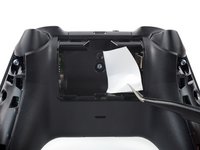
  9. Xbox Series X|S Controller (Model 1914) Thumbstick Covers Replacement, Reposition the battery compartment sticker: step 9, image 1 of 2 Xbox Series X|S Controller (Model 1914) Thumbstick Covers Replacement, Reposition the battery compartment sticker: step 9, image 2 of 2
    Tool used on this step:
    Tweezers
    $4.99
    Buy
    • The sticker in the battery compartment covers a housing screw. Peel it back or pierce through it with a screwdriver.

    • Use a pair of tweezers or your fingers to peel back the sticker to reveal the screw.

    • You only need to peel this sticker to where you can access the hidden screw. You don't need to pull it completely off.

  10. Xbox Series X|S Controller (Model 1914) Thumbstick Covers Replacement, Unfasten the top housing: step 10, image 1 of 2 Xbox Series X|S Controller (Model 1914) Thumbstick Covers Replacement, Unfasten the top housing: step 10, image 2 of 2
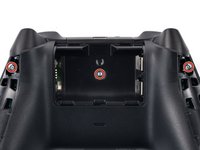
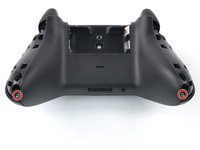
    • Use a T8R Torx Security driver to remove the five 9.3 mm-long screws securing the top housing, three near the top and two at the bottom.

  11. Xbox Series X|S Controller (Model 1914) Thumbstick Covers Replacement, Remove the top housing: step 11, image 1 of 3 Xbox Series X|S Controller (Model 1914) Thumbstick Covers Replacement, Remove the top housing: step 11, image 2 of 3 Xbox Series X|S Controller (Model 1914) Thumbstick Covers Replacement, Remove the top housing: step 11, image 3 of 3
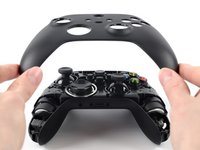
    • Lift the top housing straight up to remove it.

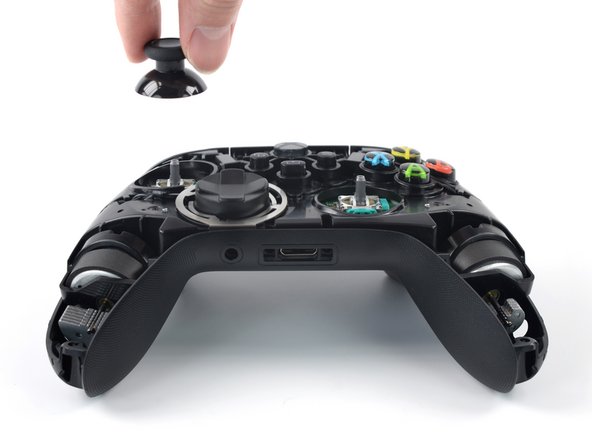
  12. Xbox Series X|S Controller (Model 1914) Thumbstick Covers Replacement, Remove the thumbstick covers: step 12, image 1 of 3 Xbox Series X|S Controller (Model 1914) Thumbstick Covers Replacement, Remove the thumbstick covers: step 12, image 2 of 3 Xbox Series X|S Controller (Model 1914) Thumbstick Covers Replacement, Remove the thumbstick covers: step 12, image 3 of 3
    • Use your fingers to remove the joystick covers.

Conclusion

To reassemble your device, follow these instructions in reverse order.

Repair didn’t go as planned? Try some basic troubleshooting, or ask our Answers community for help.

24 other people completed this guide.

Manuel Haeussermann

Member since: 07/13/22

25,205 Reputation

71 Guides authored

Team

iFixit Member of iFixit

Staff

123 Members

25,681 Guides authored

5 Guide Comments

This was really helpful in fixing my thumbsticks. The only suggestion I have is to remove the battery cover after you're removed the handle covers instead of before. It will be easier to grip the controller while using the pry tools when the battery cover is still on.

Joshua Morden - Reply Share

Replaced the right thumb stick after mine broke. 3d printed a new stick and seems to be working fine. Thanks

Beau Belgard - Reply Share

Thanks so much, I fix it first time by this tutorial

Bruce Energy - Reply Share

Those clips on the handle covers are no joke! I have a sore hand every time I have to replace my sticks haha

Trey Topper - Reply Share

people say that the handle covers are STRONG. they're mild.. We should talk about the torx screws. NIGHTMARE. T10 tip has the security thing and it unscrewed 2 screws.. THE REST OF THE SCREWS ARE GLUED ON BASICALLY?!

AverageAsusFanboy - Reply Share

Add Comment

View Statistics:

Past 24 Hours: 22

Past 7 Days: 137

Past 30 Days: 588

All Time: 20,614