Free Shipping on Domestic Orders $75+

Xbox One Wireless Controller Model 1708 Trigger Caps Replacement

What you need

    1. Xbox One Wireless Controller Model 1708 Trigger Caps Replacement, Trigger Caps: step 1, image 1 of 2 Xbox One Wireless Controller Model 1708 Trigger Caps Replacement, Trigger Caps: step 1, image 2 of 2
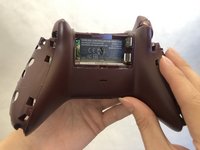
      • Slide the battery cover out and remove it.

      • Remove the battery pack.

      Ask FixBot

      Add Comment

    2. Xbox One Wireless Controller Model 1708 Trigger Caps Replacement: step 2, image 1 of 3 Xbox One Wireless Controller Model 1708 Trigger Caps Replacement: step 2, image 2 of 3 Xbox One Wireless Controller Model 1708 Trigger Caps Replacement: step 2, image 3 of 3
      • Insert a plastic opening tool between the handle and the plate.

      • Gently slide the opening tool from the top end to the bottom end of the seam to remove the plate from the handle.

      • Repeat the process with the other side plate.

      • The plate is tightly sealed on the handle, so it may be difficult to remove.

      Ask FixBot

      Add Comment

    3. Xbox One Wireless Controller Model 1708 Trigger Caps Replacement: step 3, image 1 of 2 Xbox One Wireless Controller Model 1708 Trigger Caps Replacement: step 3, image 2 of 2
      • Remove the five 2.3mm screws on the bottom plate with a T8 Torx security Screwdriver.

      • If there is a sticker on the back, poke a hole with the screwdriver to get to the fifth screw.

      Ask FixBot

      Add Comment

    4. Xbox One Wireless Controller Model 1708 Trigger Caps Replacement: step 4, image 1 of 2 Xbox One Wireless Controller Model 1708 Trigger Caps Replacement: step 4, image 2 of 2
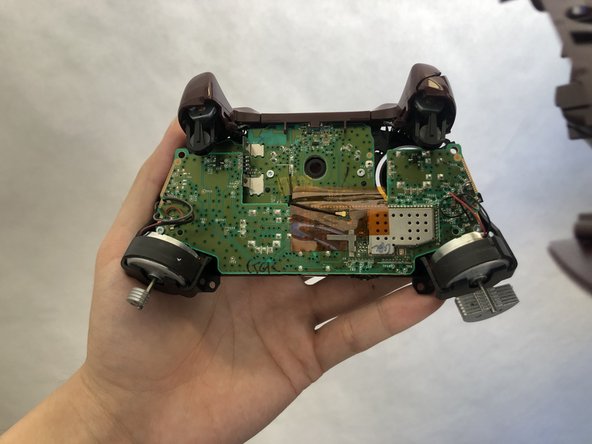
      • Remove the bottom plate.

      Ask FixBot

      Add Comment

    5. Xbox One Wireless Controller Model 1708 Trigger Caps Replacement: step 5, image 1 of 3 Xbox One Wireless Controller Model 1708 Trigger Caps Replacement: step 5, image 2 of 3 Xbox One Wireless Controller Model 1708 Trigger Caps Replacement: step 5, image 3 of 3
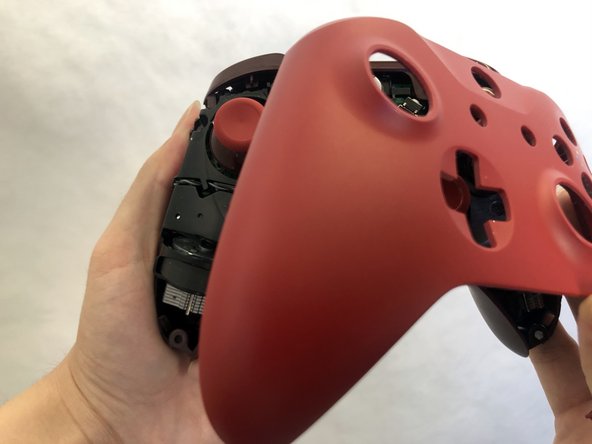
      • Carefully turn over the controller with the front plate facing you.

      • Remove the front plate.

      Ask FixBot

      Add Comment

    6. Xbox One Wireless Controller Model 1708 Trigger Caps Replacement: step 6, image 1 of 3 Xbox One Wireless Controller Model 1708 Trigger Caps Replacement: step 6, image 2 of 3 Xbox One Wireless Controller Model 1708 Trigger Caps Replacement: step 6, image 3 of 3
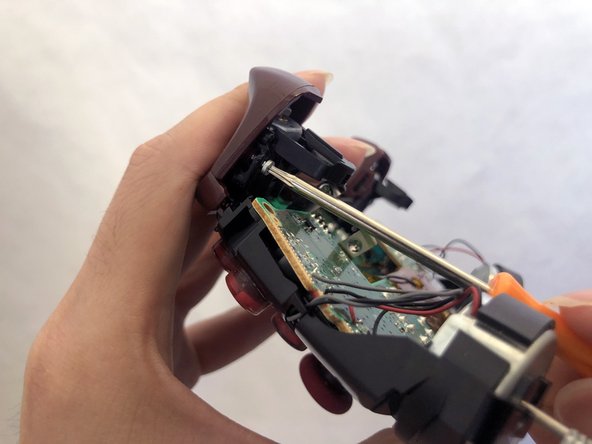
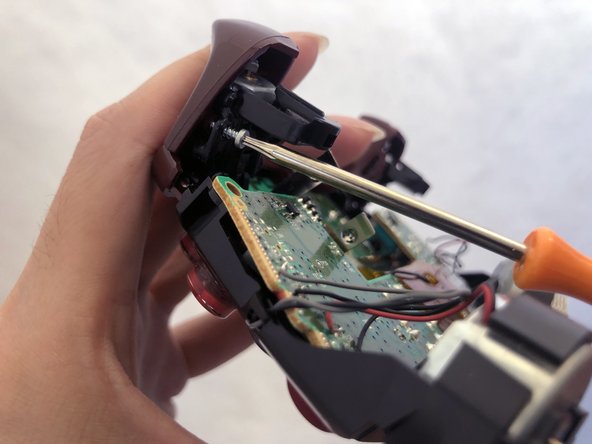
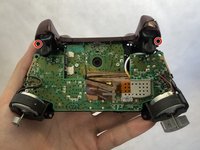
      • Remove the two 1.7mm screws from each of the triggers with a T6 Torx screwdriver.

      • It is best to do one trigger cap replacement at a time.

      Ask FixBot

      Add Comment

    7. Xbox One Wireless Controller Model 1708 Trigger Caps Replacement: step 7, image 1 of 3 Xbox One Wireless Controller Model 1708 Trigger Caps Replacement: step 7, image 2 of 3 Xbox One Wireless Controller Model 1708 Trigger Caps Replacement: step 7, image 3 of 3
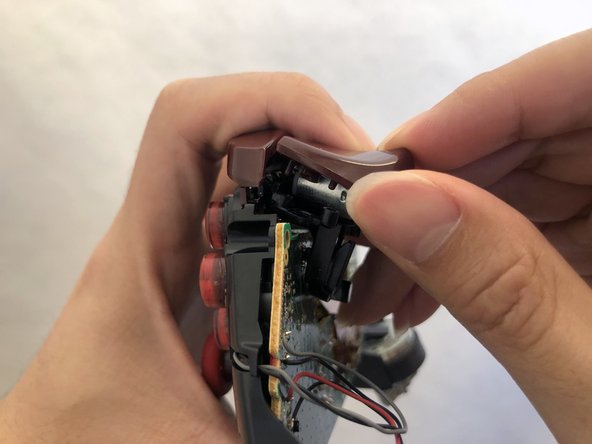
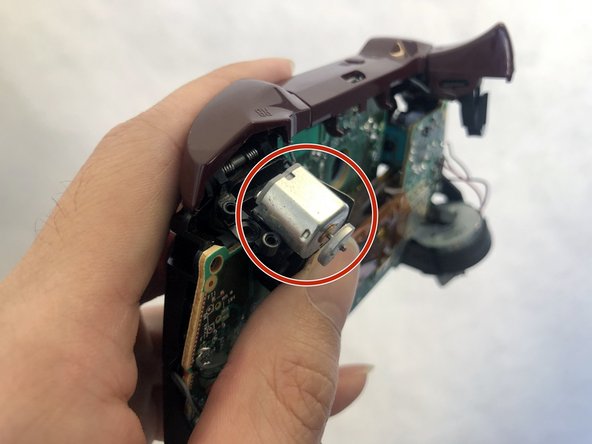
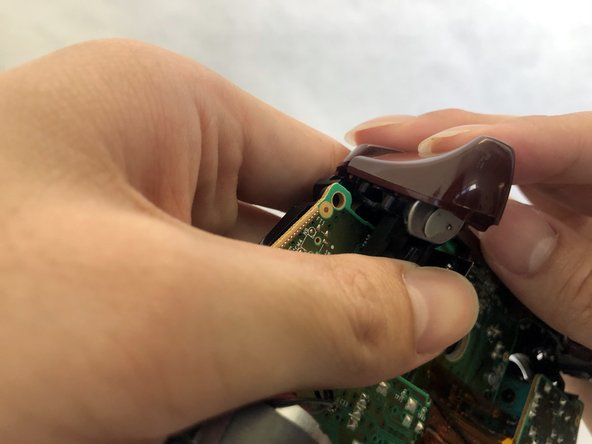
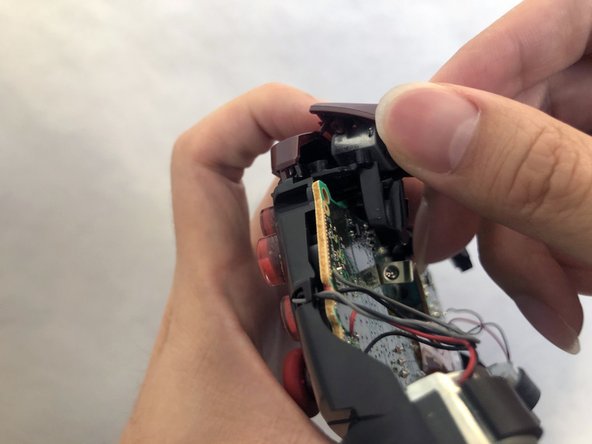
      • Be careful not to let the trigger motor inside come out.

      • Lift the trigger cap off the trigger motor.

      Ask FixBot

      Add Comment

    8. Xbox One Wireless Controller Model 1708 Trigger Caps Replacement: step 8, image 1 of 3 Xbox One Wireless Controller Model 1708 Trigger Caps Replacement: step 8, image 2 of 3 Xbox One Wireless Controller Model 1708 Trigger Caps Replacement: step 8, image 3 of 3
      • Place the new trigger cap on the trigger motor.

      • Push down the inside of the trigger cap until you hear a click.

      • Repeat step six to eight for the other trigger cap.

      Ask FixBot

      Add Comment

Conclusion

To reassemble your device, follow steps 1-5 in reverse order.

Cancel: I did not complete this guide.

20 other people completed this guide.

Lucero Cortes-Vitervo

Member since: 02/18/20

584 Reputation

1 Guide authored

Team

UC Davis, Team S1-G6, Andersen Winter 2020 Member of UC Davis, Team S1-G6, Andersen Winter 2020

UCD-ANDERSEN-W20S1G6

3 Members

12 Guides authored

1 Guide Comment

Et le reboitage stp non parce que je pense que ses le plus compliqué.

Yoann.cadenat - Reply Share
Add Comment

View Statistics:

Past 24 Hours: 13

Past 7 Days: 94

Past 30 Days: 372

All Time: 27,825